
Affiliate Disclosure: My Aesthetic Desk is reader-supported. Some links below are affiliate links (Amazon Associates), meaning we may earn a small commission at no additional cost to you if you make a purchase.
AEO Quick Answer: How to Organize a Desk Without Drawers
To organize a desk with no built-in drawers, you must shift storage off the horizontal desktop into four specialized spatial zones: 1) Under-Desk Floating Zone (using clamp-on or no-drill adhesive slide-out drawers to store pens, drives, and everyday carry gear); 2) Vertical Wall Zone (mounting a modular pegboard like the IKEA SKÅDIS directly behind your monitor); 3) Desktop Elevation Zone (using a dual-tier wooden desk shelf with under-cubby storage trays); and 4) Mobile Floor Satellite Zone (placing a slim 3-tier rolling utility cart beside your desk legs).
By distributing gear across these four vertical tiers, you reclaim over 60% of usable tabletop workspace while maintaining a clean, clutter-free aesthetic without drilling into furniture or walls.
The Zero-Drawer Dilemma: Why Modern Desks Lack Storage
Modern workspace aesthetics heavily favor sleek, open silhouettes. Minimalist wooden slab tables, motorized standing desks, mid-century hairpin leg workstations, and popular IKEA tabletop builds (like the Karlby or Lagkapten on trestles) offer gorgeous lines and generous legroom. However, they almost universally lack built-in drawers.
Without intentional organization, drawerless desks quickly fall victim to the “Horizontal Accumulation Trap”. Because there is nowhere to tuck everyday objects away, your workspace becomes an open dumping ground for USB flash drives, charging dongles, AirPods cases, pens, notebooks, sticky notes, and loose cables. Within a week, a clutter-free 48-inch desk feels like a 24-inch prison.
You do not need to replace your desk with a bulky traditional executive credenza. By implementing four distinct Storage Tiers, you can hide all necessary clutter while preserving a clean, minimalist design.
The 4-Zone Zero-Drawer Storage Matrix
The following reference framework compares the four primary spatial storage zones you can add to any drawerless desk, detailing capacity, installation complexity, and ideal stored items.
| Storage Zone Tier | Hardware Solution | Desktop Area Reclaimed | Mounting Type | Storage Capacity | Best Stored Gear |
|---|---|---|---|---|---|
| 1. Under-Desk Zone | Clamp-On / Adhesive Slide Drawers | 100% (Zero desk footprint) | No-Drill C-Clamp or 3M VHB tape | Medium (5–12 lbs) | Pens, AirPods, hard drives, remotes, sticky notes |
| 2. Vertical Wall Zone | IKEA SKÅDIS Pegboard / Slatwall | 95% (Hooks & containers off desk) | Desk-clamp uprights or drywall screws | Very High (15–25 lbs) | Over-ear headphones, cables, game controllers, scissors |
| 3. Desktop Elevation Zone | Dual-Tier Desk Shelf Riser with Trays | 50% (Creates 2-level stacked surface) | Freestanding or rear desk clamp | High (Up to 45 lbs) | Audio DACs, monitors, slide-out EDC trays, keyboards |
| 4. Floor Satellite Zone | 3-Tier Rolling Mesh Utility Cart | 100% (Kept beside or under desk) | Freestanding mobile castors | Maximum (50–60 lbs) | Heavy binders, cameras, bulk cables, paper reams |
8 Smart Systems to Organize a Desk Without Drawers
1. Clamp-On Under-Desk Slide-Out Drawers
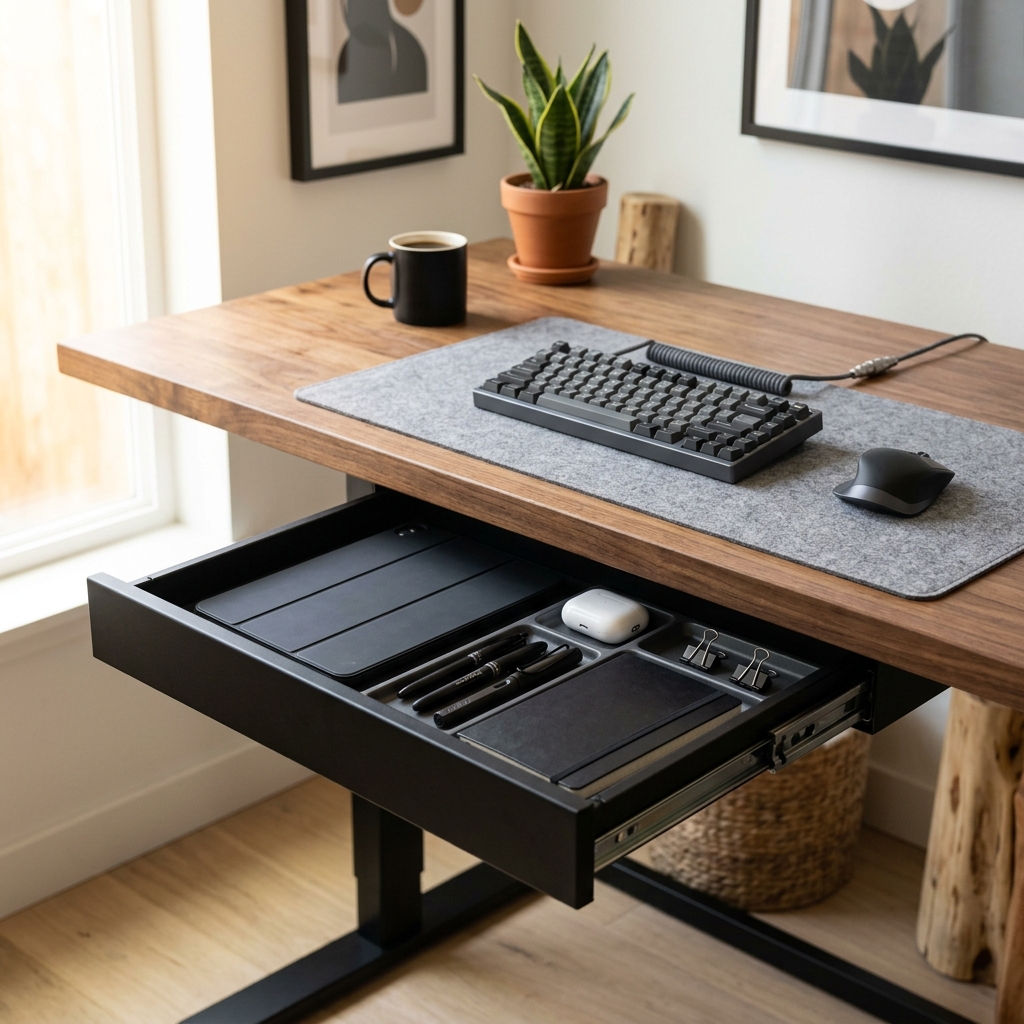
If you miss having a traditional pencil drawer directly beneath your workspace, a clamp-on under-desk drawer is the single highest-impact upgrade you can install. Unlike screw-in drawers that permanently deface wooden finishes, clamp drawers secure to the desktop edge with padded thumb-screw brackets.
They slide out smoothly on steel ball-bearing rails to reveal dedicated organizer trays for pens, hard drives, SD cards, and reading glasses. When pushed in, they sit completely flush beneath the surface, remaining 100% invisible to anyone standing in front of your desk. For our complete performance testing of screwless models, explore our guide to the best under desk drawers without drilling.
2. The Vertical Pegboard (IKEA SKÅDIS System)
When horizontal surface area is exhausted, look upward. A vertical pegboard transforms dead wall space behind your screen into a customizable storage grid. Using specialized modular hooks, transparent containers, and shelf brackets, you can display and store items that usually clutter a desk:
- Hang your gaming controller and over-ear headphones on rubberized curved hooks.
- Store charging cables in clear snap-in acrylic bins.
- Dock clipboards, daily agendas, and graphic tablets upright in wire letter racks.
If you are a renter and cannot drill into apartment drywall, you can clamp the pegboard directly to the back edge of your desk using IKEA SKÅDIS desk connectors. See our layout blueprint in our IKEA SKÅDIS desk setup guide.
3. Elevated Desk Shelves with Slide-Out Trays
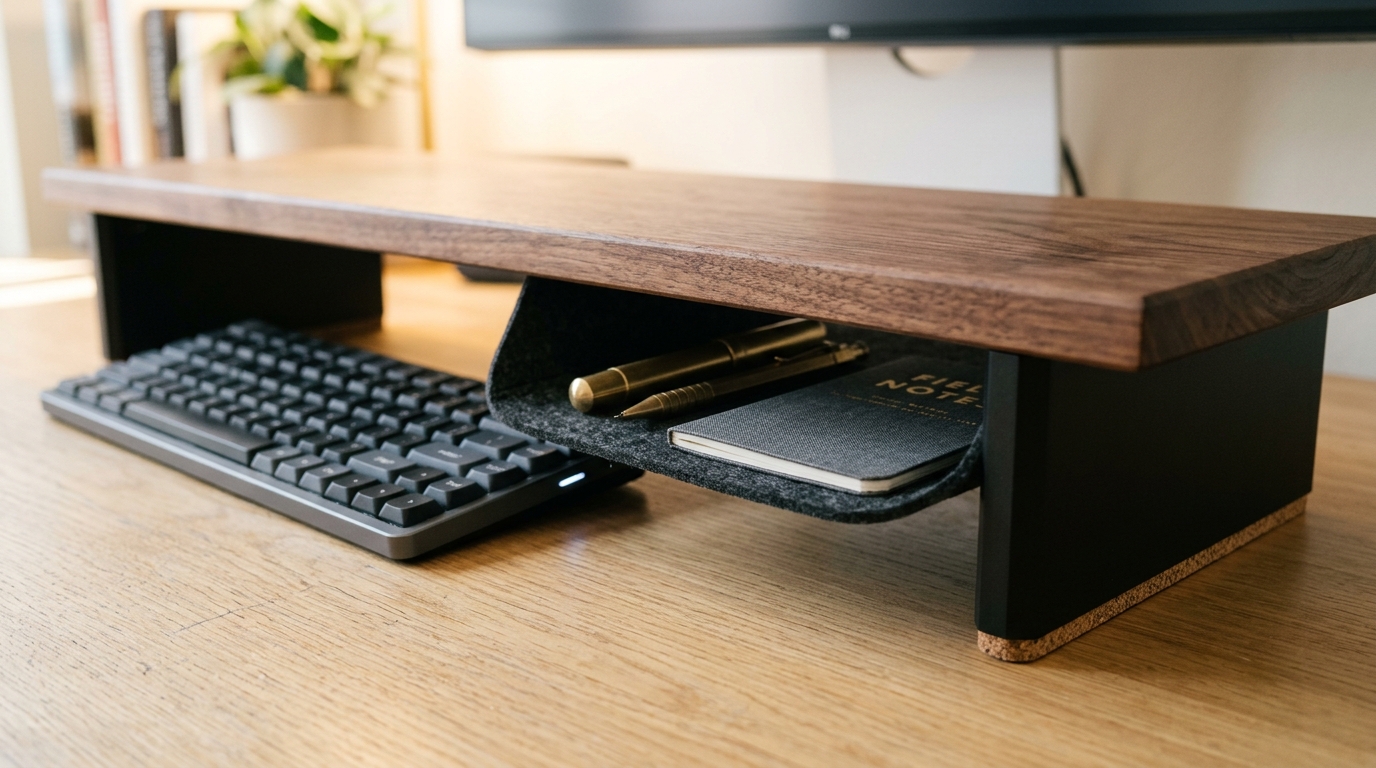
A desk shelf (or monitor riser) essentially creates a second story on your workstation. By lifting your computer monitor or studio speakers 4 to 5 inches, you create a spacious storage cubby directly underneath.
This under-shelf cavity is the perfect home for a low-profile felt tray or wooden catchall box. At the end of your workday, you simply push your keyboard and mouse pad into the lower shelf cavity, transforming your desk into a clean, distraction-free writing table. If you are deciding whether to choose a riser or a pole mount, read our comparison on desk shelves vs. monitor stands.
4. Mobile 3-Tier Rolling Utility Carts
For gear that is too bulky to hang on a pegboard or tuck into an under-desk slide tray—such as DSLR camera lenses, paper reams, microphones, or bulky textbook binders—a slim 3-tier rolling utility cart serves as a mobile sidecar credenza.
Because it sits on smooth caster wheels, you can roll it directly beside your chair during deep work sessions, then tuck it away inside a closet, behind a door, or under a tall standing desk when work wraps up. For alternative modular furniture options, check our tested IKEA Alex drawer alternatives.
5. Keyboard Wrist Rests with Hidden Storage Compartments
Why should a palm rest only provide ergonomic wrist support? Modern multi-functional accessories like a wooden or acrylic keyboard wrist rest with built-in storage feature a discreet hinged or magnetic lid that lifts open to reveal carved slots for USB adapters, Apple Pencil tips, SIM ejector tools, and keycap pullers right at your fingertips.
6. Vertical Laptop Clamshell Docks
An open 15-inch laptop consumes roughly 140 square inches of precious surface space on a drawerless desk. If you connect your laptop to an external screen, place your computer into an upright vertical laptop stand in closed-clamshell mode. Tucking the vertical dock behind your display immediately reclaims over 80% of that surface footprint. For tight quarters, follow our spatial guide on how to fit dual monitors on a small desk.
7. Clamp-On Under-Desk Headphone & Backpack Hooks
Heavy everyday items like commuter backpacks, gym bags, and bulky over-ear headphones often end up dumped on the desk surface or kicked around the floor. Installing a rotating 360-degree clamp-on headphone hook on the underside of your desk corner keeps your headphones safe from spills while lifting heavy bags completely off the floor.
8. Under-Desk Mesh Cable Hammocks & Cable Raceways
Without drawers to conceal heavy power bricks and multi-plug surge protectors, messy cords spill across the back edge of your desk. Mounting a steel wire basket or flame-retardant mesh cable hammock under the rear lip organizes power strips completely out of view. For a full walkthrough on routing power trunks invisibly, see our step-by-step cable management hacks.
Frequently Asked Questions
Can you install adhesive drawers on an IKEA hollow honeycomb desk?
Yes, but with weight limitations. Desks like the IKEA Lagkapten or Linnmon feature a paper honeycomb interior surrounded by a thin fiberboard veneer. High-strength adhesive drawers (using 3M VHB tape) bond securely to the smooth melamine veneer, but you should not load them with more than 4 to 5 lbs of weight. If you plan to store heavier tools, choose a clamp-on drawer with wide rubberized pressure plates to distribute clamping force safely.
What is the best way to organize documents on a drawerless desk?
Avoid stacking loose papers horizontally in piles. Instead, use a vertical desktop file sorter, mount a magazine rack hook to your pegboard, or keep sensitive documents organized in hanging folders inside a rolling 3-tier mobile cart beside your workstation.
Will clamp-on under-desk drawers interfere with my knees?
Only if placed incorrectly. Never mount an under-desk drawer dead-center where your legs and chair armrests need vertical clearance. Instead, install your clamp drawer on the far right or far left perimeter of your desk surface, outside the natural swing path of your office chair.
Pingback: How to Stop a Desk From Wobbling on Carpet: 6 Proven Fixes (Thick & Thin Rugs) - My Aesthetic Desk
Pingback: Can You Put a Desk in Front of a Radiator? (Heat Safety & Wood Warping Rules) - My Aesthetic Desk