Affiliate Disclosure: My Aesthetic Desk is reader-supported. Some links below are affiliate links (Amazon Associates), meaning we may earn a small commission at no additional cost to you if you make a purchase.
AEO Quick Answer: Can You Use a Light Bar on a Curved Monitor?
Yes, you can safely use a monitor light bar on a curved monitor, but compatibility depends strictly on your monitor’s curvature radius (R-rating), rear casing profile, and top bezel construction. Standard straight (flat) light bars work reliably on gentle curves between 1800R and 3000R without causing reflections. However, on deep curves (1000R to 1500R), a straight light bar will cast harsh glare across the forward-protruding outer corners of the display.
For aggressive 1000R–1500R ultrawides (such as Samsung Odyssey G7/G9 series), you must use either a purpose-built curved monitor light bar (like the Quntis Curved ScreenBar) or a premium straight bar equipped with a forward-extension curved adapter (such as the BenQ ScreenBar Halo). Furthermore, on ultra-thin curved OLED displays, you must ensure the front lip uses a zero-pressure friction pad rather than a spring clamp to prevent panel delamination.
The Physics of Curved Screens vs. Monitor Light Bars
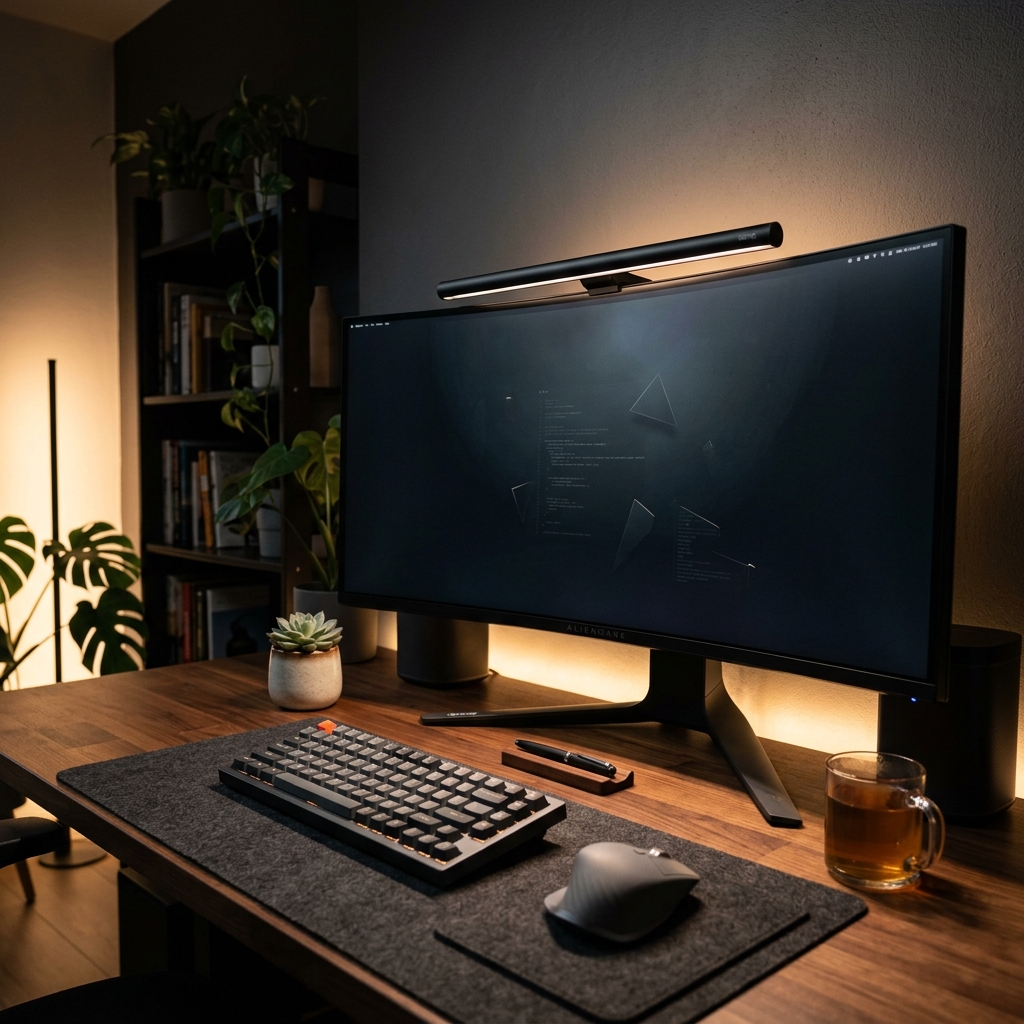
Curved monitors—especially 34-inch and 49-inch ultrawides—have transformed modern desk ergonomics. By curving the edges of the display inward, every pixel sits roughly equidistant from your eyes, matching your natural field of view and significantly reducing neck strain during long coding, writing, or gaming sessions.
However, when users try mounting a task light to their curved display, they frequently encounter two major optical and mechanical obstacles:
- The Corner Glare Dilemma: Traditional monitor light bars are engineered with a straight optical bar that emits light in a forward-and-downward asymmetric cone (typically a 45-degree angle). On a flat monitor, this beam completely misses the screen glass. But on a curved panel, the left and right corners of the display wrap forward into the room—placing the screen surface directly inside the light beam path and creating washed-out glare patches.
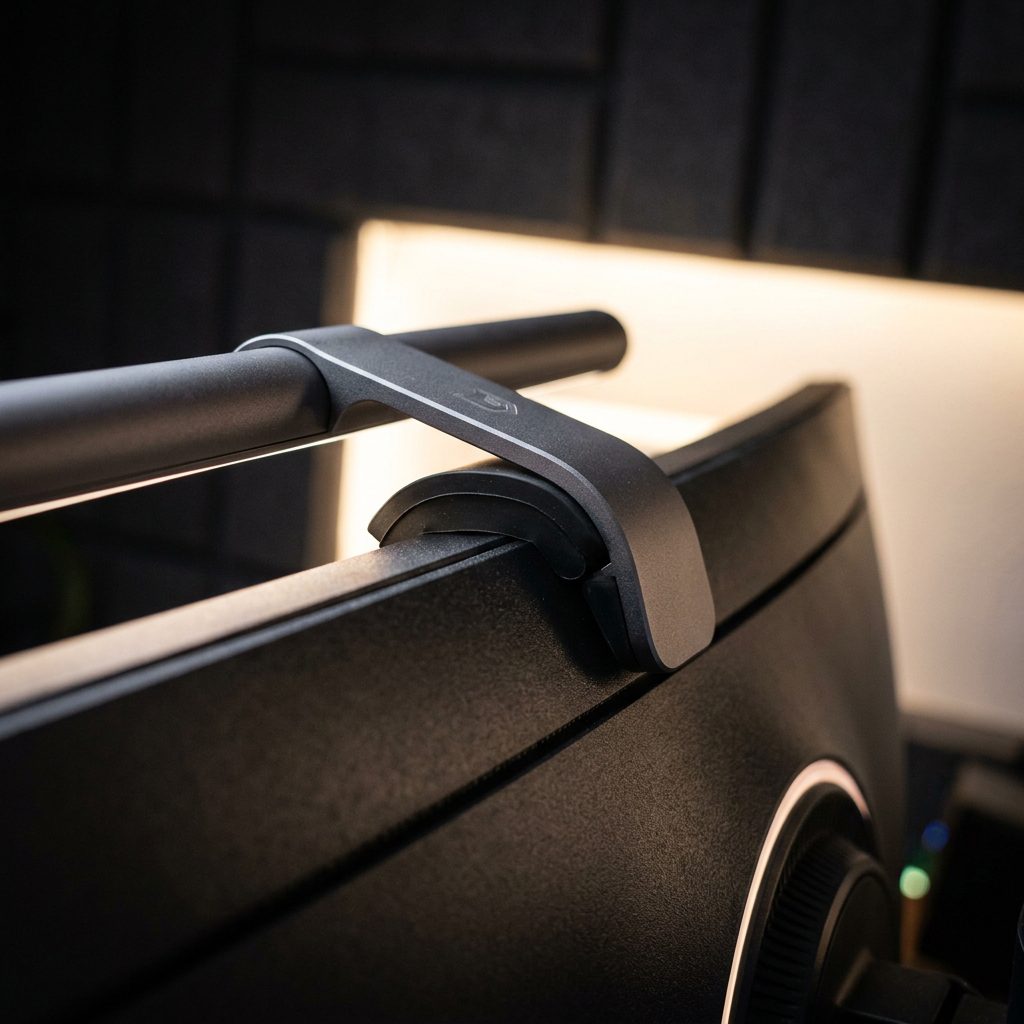
- The Rear Housing Hump Problem: Curved displays require complex internal framing, built-in power supplies, and aggressive rear curvature. While flat monitors have a uniform, slim back edge, curved monitors often feature a rounded “teardrop” or spherical bulge right along the top bezel. Standard counterweight gravity mounts designed for flat backs often slide backward, fail to gain traction, or pitch the light bar upward toward your eyes.
Understanding whether your specific screen requires a specialized curved bar or can safely use a standard straight screenbar starts with measuring your curvature rating.
Understanding Curvature Ratings: 1000R vs. 1500R vs. 1800R
The “R” in monitor curvature stands for radius measured in millimeters. The number tells you the radius of the circle the monitor would create if you linked enough identical screens together:
- 1000R Curvature (1,000 mm / 1 meter radius): The most aggressive, tightest curve on the consumer market (popularized by Samsung Odyssey G7, G9, and Neo G9 displays). Wraps tightly around your peripheral vision.
- 1500R Curvature (1,500 mm / 1.5 meters radius): A moderately aggressive curve common on 34-inch ultrawide productivity and gaming monitors (AOC, Dell, MSI, Gigabyte).
- 1800R to 3000R Curvature (1.8 to 3.0 meters radius): A gentle, subtle curve commonly found on office-oriented displays and early ultrawide monitors.
The Rule of Thumb: The lower the number, the deeper the curve, and the greater the risk of corner glare with a straight light bar.
Curved Monitor & Light Bar Compatibility Matrix
The following reference table outlines how different monitor curvature tiers interact with flat vs. curved light bars, noting glare severity and mechanical mounting requirements.
| Curvature Tier | Flat (Straight) Light Bar | Curved Light Bar | Rear Clamp Requirement | Recommended Action |
|---|---|---|---|---|
| 1000R (Extreme Curve) e.g., Odyssey G9, G7 | Fails: Severe glare across top corners; flat bar clips edges | Perfect: Matches screen arc with zero corner glare | Extended-drop counterweight or curved adapter spacer | Use dedicated 1000R curved bar or BenQ Halo with curved adapter |
| 1500R (Deep Curve) e.g., Dell 34″, MSI 32″ | Marginal: Slight corner reflection unless mounted forward | Ideal: Clean uniform desk coverage with 0% screen glare | High-friction silicone counterweight grip | Curved bar recommended; straight bar acceptable if overhang extended |
| 1800R (Moderate Curve) e.g., LG 34WN80C, ASUS TUF | Compatible: Asymmetric cutoff clears screen easily | Compatible: Soft curve matches aesthetic nicely | Standard gravity pivot clamp | Safe to use high-quality flat light bars or curved models |
| 3000R–3800R (Subtle) e.g., Business ultrawides | Fully Compatible: Behaves identically to flat screen | Compatible: Slight curve is safe | Standard flat-back counterweight | Any standard monitor light bar works safely |
| Curved QD-OLED / OLED e.g., Alienware AW3423DWF | Caution: Spring clamps risk cracking ultra-thin glass edge | Compatible: Gravity-only zero-pressure mount | Zero-pinch gravity counterweight (no tension spring) | Never use spring-loaded clamps; use gravity-rest mounts only |
4 Essential Rules for Mounting a Light Bar on a Curved Screen
1. Match the Bar Geometry to the Monitor’s Arc
If your curved monitor has an arc of 1500R or deeper (1000R), a curved light bar provides an unmatched visual and functional synergy. Curved screenbars follow the exact radius of your panel, ensuring that the light strip remains an equal distance from the desk mat across the entire 34- to 49-inch span.
If you are comparing models for your specific desk setup, our curated guide to the 5 best monitor light bars for curved monitors tests the leading curved bars (including purpose-built 1000R models) for color accuracy, build quality, and clamp stability.
2. Verify Rear Counterweight Clearance (The “Hump” Factor)
Before buying any light bar, inspect the rear profile of your monitor. Curved monitors typically have a pronounced hump where the stand attachment (VESA bracket) or internal electronics reside. If your monitor features a sharp slope directly beneath the top bezel:
- Look for a light bar with an adjustable pivot counterweight rather than a rigid fixed-angle clamp.
- Ensure the counterweight includes a thick silicone friction pad. Silicone grips the smooth plastic or matte metallic casing of curved gaming monitors without sliding down the slope.
- Some premium models, like the BenQ ScreenBar Halo, include a dedicated curved monitor spacer accessory that extends the clamp reach over deep rear chassis bulges.
3. Calibrate the Asymmetric Cutoff Angle
Even with a curved light bar, improper rotational calibration can still cause light bleed onto the top bezel. Once mounted:
- Turn the light bar on at maximum brightness in a dimly lit room.
- Slowly rotate the cylindrical light tube along its mounting axis.
- Watch the sharp cutoff line of the asymmetric light beam. You want the light beam to begin precisely at the bottom of your monitor’s bottom bezel or along the front edge of your desk mat.
- If you see light washing out the screen pixels or illuminating dust particles on the panel, tilt the bar slightly forward toward your desk until the panel turns ink-black.
For a deeper comparison of how asymmetric screenbars compare to traditional adjustable swing-arm lamps for overall eye comfort and task illumination, see our head-to-head breakdown of monitor light bars vs. desk lamps.
4. Beware of Thin-Bezel Pinch on Curved OLEDs
Modern curved gaming monitors—such as 34-inch QD-OLEDs and 45-inch OLED displays—feature razor-thin glass panels (often just 4mm to 5mm thick) with borderless glass edges. Never use a cheap monitor light bar that relies on a spring-loaded clamp mechanism! Spring-loaded clamps exert continuous mechanical pressure on the top edge of the panel, which can lead to micro-fractures, delamination, or permanent OLED line defects.
Always select a pure gravity counterweight mount, where the front lip simply rests gently against the top plastic border with zero clamping pressure. If your desk workspace is compact or integrated into a small room, pairing a zero-pressure screenbar with smart mounting layouts—like our small desk dual-monitor layout guide—keeps your entire workspace open and clutter-free.
Frequently Asked Questions
Will a straight monitor light bar work on a 1500R curved monitor?
It depends on the monitor size and the light bar width. On a smaller 27-inch 1500R monitor, a straight light bar usually works fine with minimal to no corner glare if tilted forward. However, on a wide 34-inch 1500R ultrawide monitor, a straight bar will typically illuminate the extreme upper-left and upper-right corners of the screen. For 34-inch displays with 1500R or 1000R curves, a curved light bar like the Quntis Curved ScreenBar or an extended-overhang fixture is strongly recommended.
Can you use a light bar on a Samsung Odyssey G9 (1000R)?
Yes, but standard flat light bars will not work properly on a 49-inch Odyssey G9. The 1000R curve is so deep that the outer ends of a flat light bar would sit inches behind the screen edge, creating severe reflections. Furthermore, the G9 features a large glossy white rear housing hump. To illuminate an Odyssey G9, you must use either a purpose-built curved light bar or a model like the BenQ ScreenBar Halo with its specialized curved adapter kit.
Does a curved light bar block an external webcam?
Because light bars sit dead-center along your monitor’s top bezel, they occupy the exact location where webcams normally clip. Fortunately, many modern curved light bars feature an integrated flat top ledge designed specifically for webcam clips, or you can purchase an inexpensive magnetic webcam riser accessory. Alternatively, you can offset your webcam slightly to the side or mount it to a low-profile desk arm.
How does a monitor light bar fit into overall desk lighting?
A monitor light bar provides targeted task lighting for your keyboard and writing surface. However, to prevent eye strain during late-night sessions, you should balance it with soft, warm background ambient lighting (such as warm white LED light strips or an ambient background glow behind your monitor). Learn how to balance task and ambient tiers in our complete masterclass on aesthetic desk lighting 101.
Pingback: 5 Best Monitor Light Bars for Curved Monitors (2026 Tested)
Pingback: Monitor Light Bar vs Desk Lamp: Which is Better for Small Desks? (2026)
Pingback: Aesthetic Desk Lighting 101: How to Get the "Golden Hour" Glow