
Disclosure: This independent desktop surface guide contains affiliate links. If you purchase through them, we may earn a modest commission at no extra cost to you. Read our full affiliate disclosure.
When curating an aesthetic and functional workstation, few accessories influence your daily comfort and desk visual appeal as dramatically as the surface beneath your hands. Browse Amazon, Etsy, or boutique desk accessory stores, however, and you will immediately notice something confusing: manufacturers and retail listings use the terms “desk pad” and “desk mat” completely interchangeably.
One brand labels a 36-inch flexible neoprene cloth gaming surface as a “desk pad,” while another calls a rigid 24-inch leather writing blotter a “desk mat.” But make no mistake—in historical design, material composition, ergonomic firmness, and mechanical performance, these two desk accessories were engineered for fundamentally different purposes. Choosing the wrong one can turn your handwriting into torn paper gouges or leave your gaming mouse skating across an unpredictable, high-friction drag surface.
Quick Answer: Desk Pad vs Desk Mat
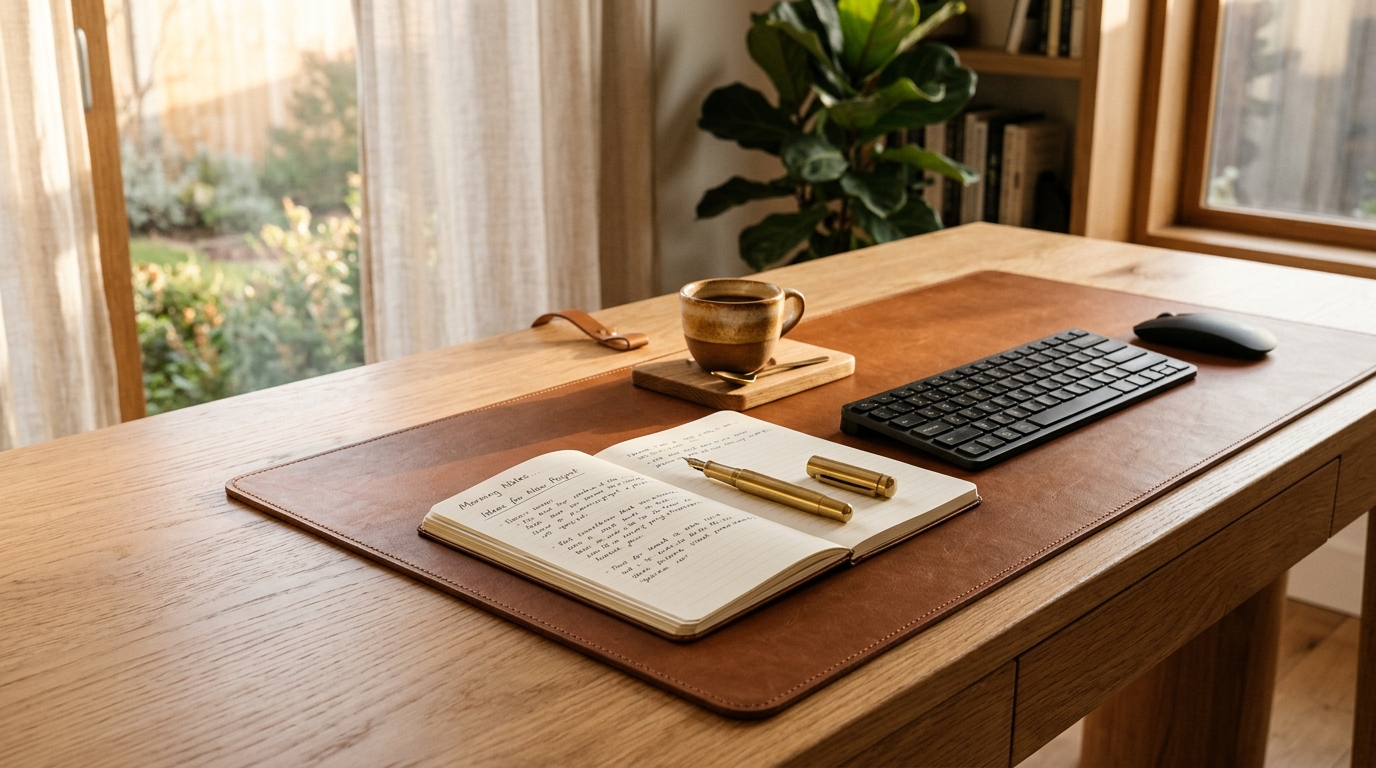
The primary difference between a desk pad and a desk mat comes down to firmness, intended function, and surface size. A desk pad (historically known as a desk blotter) is a firmer, structured writing surface—typically constructed from rigid leather, linoleum, or bonded vegan leather—engineered specifically to provide a smooth, puncture-free backing for handwritten notes, penmanship, and signature work (typically 24″×14″ to 30″×18″). Conversely, a desk mat (or extended mouse pad) is a softer, flexible textile, wool felt, or neoprene surface—usually spanning 35″×16″ to 48″×24″—designed primarily to anchor both a keyboard and mouse, optimize low-friction optical sensor glide, and dampen mechanical keyboard acoustics.
Etymology & Evolution: The Victorian Blotter vs. The Extended Gaming Mat
To truly understand the modern distinction between these two tabletop essentials, it helps to examine where they came from:
The Desk Pad (The Desk Blotter)
The desk pad descends directly from the 19th-century “desk blotter.” In the era of dip pens and fountain pens, wet ink took several minutes to dry. Scribes and executives kept a large, rigid leather portfolio on their desks containing soft sheets of absorbent blotting paper. When ink was laid down, pressing the blotter over the page instantly absorbed excess fluid without smearing.
As ballpoint pens replaced ink wells in the mid-20th century, the absorbent paper disappeared, but the rigid leather pad remained. It served as a protective buffer between hard wooden executive desks and sharp steel pen tips, ensuring ballpoint pens wrote smoothly without digging grooves into polished mahogany or walnut.
The Desk Mat (The Extended Mouse Pad)
The desk mat, on the other hand, was born out of competitive gaming and personal computing in the late 2000s. Early PC users had tiny 8″×8″ foam mouse pads. But as low-DPI (dots per inch) mouse sensitivity became the standard for first-person shooters and graphic design, users needed massive sweeps of their arms. PC enthusiasts grew tired of their mouse falling off the edge of tiny pads, and keyboard vibrations resonating through hollow desks.
Manufacturers solved both problems by extending the micro-woven cloth and natural rubber construction across the entire width of the workstation, creating the modern extended desk mat. To maintain the glide and aesthetic cleanliness of your fabric pad, follow our complete guide on how to clean a mouse pad without ruining it.
Comprehensive Desk Pad vs. Desk Mat Comparison Matrix
Review this side-by-side technical breakdown to see which surface aligns with your daily computing, writing, and gaming habits:
| Feature / Dimension | Traditional Desk Pad (Blotter) | Modern Extended Desk Mat | Best Choice For |
|---|---|---|---|
| Primary Purpose | Handwriting, paper protection, executive aesthetic | Mouse glide, keyboard acoustic dampening, desk shielding | Pad = Writers; Mat = PC Users & Gamers |
| Typical Dimensions | Compact to Medium (24″×14″ to 30″×18″) | Large to Oversized (35″×16″ to 48″×24″) | Mat provides full-width keyboard & mouse reach |
| Core Materials | Full-grain leather, PU leather, linoleum, hardboard | Micro-woven polyester, wool felt, open-cell neoprene | Pad = Rigid layers; Mat = Flexible textiles |
| Surface Firmness | Firm with slight yielding spring (Shore A 70–85) | Soft, squishy, cushioned (Shore A 20–40) | Pad prevents pen punctures; Mat cushions forearms |
| Writing & Penmanship | Flawless. Zero paper tear, perfect ink flow | Poor. Single sheets puncture and drag | Desk Pad wins decisively |
| Mouse Glide & Tracking | Moderate to sluggish (higher dynamic friction) | Ultra-smooth, low friction, calibrated for PTFE feet | Desk Mat wins decisively |
| Keyboard Sound Dampening | Minimal. Reflects higher acoustic frequencies | Exceptional. Absorbs hollow desk resonance (thock) | Desk Mat (especially 4mm+ cloth or wool felt) |
| Spill Resistance | High (PU leather wipes clean instantly with a cloth) | Moderate to Low (liquids soak into untreated weave) | Desk Pad for coffee and drink safety |
| Setup Aesthetic | Classic executive, dark academia, architectural luxury | Modern minimalist, cozy Scandinavian, battlestation | Depends entirely on room styling |
The Handwriting Test: Why Cloth Mats Fail and Leather Pads Shine
If you frequently take handwritten notes during phone calls, sign documents, journal in a notebook, or sketch conceptual diagrams, your choice of desk surface is paramount.
When you place a single sheet of paper on a 4mm-thick cloth or wool felt desk mat and write with a rollerball or ballpoint pen, the focused downward force of the metal tip (which can exceed 150 PSI at the point of contact) compresses the squishy open-cell rubber base. The pen ball sinks into the depression, puncturing the paper, ripping fibers, and creating inconsistent, feathery ink lines.
A dedicated dual-sided PU leather desk pad provides the exact mechanical resistance required for penmanship. It features a rigid structural substrate sandwiched between smooth synthetic leather layers. The surface yields just enough to cushion the hand and promote ink transfer, but remains firm enough to prevent pen punch-through. If you choose genuine leather, learn proper conditioning techniques in our guide to cleaning a leather desk mat.
The Mouse Tracking & Gaming Test: Speed vs. Friction
While a leather desk pad is the supreme writing surface, it is often a frustrating surface for optical mouse tracking. When mouse skates (typically made of virgin-grade PTFE or ceramic) glide across genuine or PU leather, the coefficient of friction is noticeably higher than on micro-woven textile. Quick wrist flicks require more initial starting effort (static friction), and sudden stops can feel grabby and sticky, particularly if your palms are warm or humid.
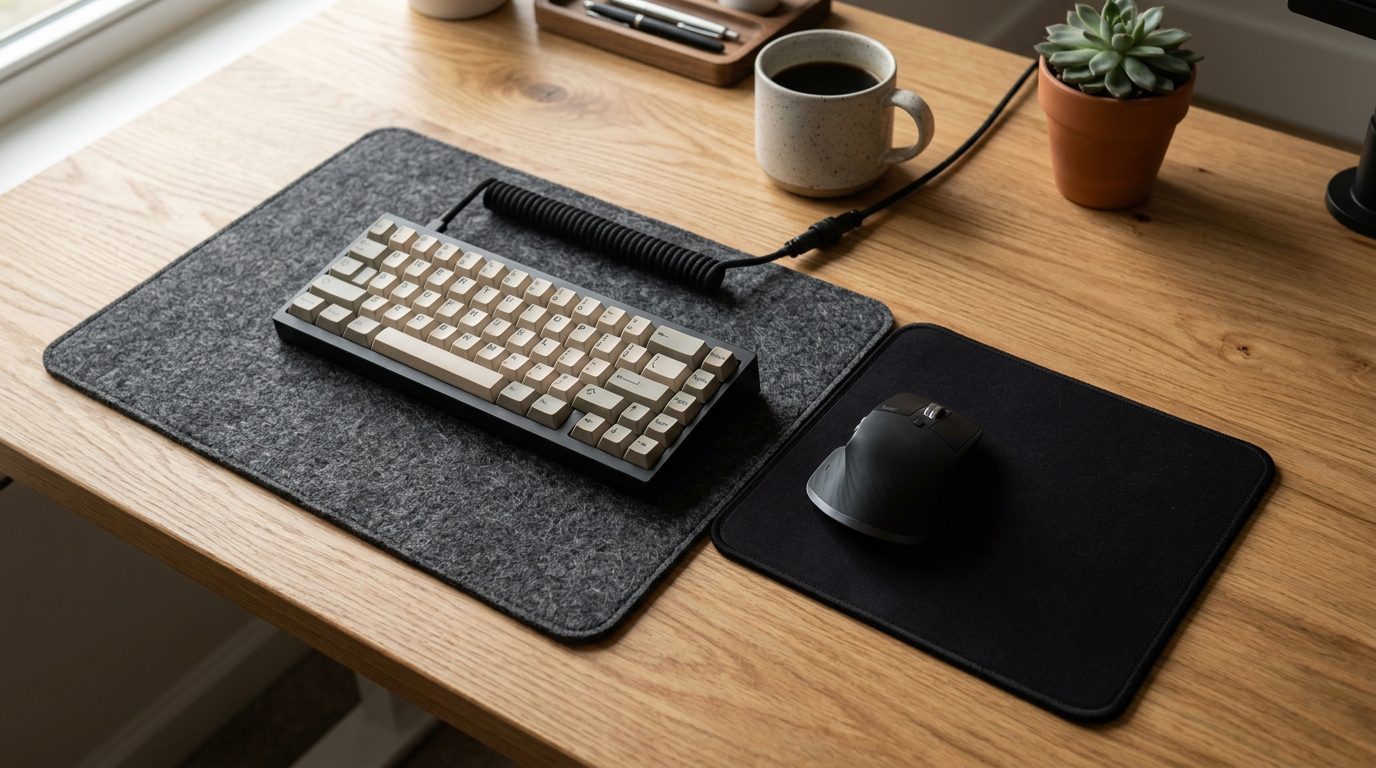
A high-performance stitched-edge extended cloth desk mat is specifically woven with ultra-fine, tight textile threads that minimize kinetic friction. Optical mouse sensors bounce their infrared beams off the micro-weave with zero jitter or spin-out, delivering sub-millimeter tracking accuracy for creative Photoshop retouching, video timeline scrubbing, and competitive gaming. If your keyboard tends to slide on smooth tabletops, pair your setup with tips from how to stop a keyboard from sliding on a desk.
Keyboard Acoustics: The Secret to the “Thocky” Mechanical Keyboard
One of the most under-appreciated functions of a modern extended desk mat is acoustic isolation. When you strike a mechanical keyboard resting directly on a bare wooden tabletop, the mechanical vibrations from each bottomed-out switch transfer straight into the desk slab. If your desk is hollow, thin, or resting on metallic legs, the entire tabletop acts like a sounding board, amplifying harsh, clack-heavy frequencies.
A thick 4mm or 5mm extended desk mat acts as an acoustic decoupling barrier. Its dense natural rubber base absorbs mechanical impact vibrations, eliminating hollow desk resonance and lowering the overall pitch of your keyboard strikes to a deeper, more satisfying “thock.” When evaluating soft acoustic dampening against sleek leather barriers, compare our deep-dive on felt vs. leather desk mats.
5 Practical Rules for Choosing Between a Desk Pad and Desk Mat
To determine which option belongs on your desktop, walk through these five practical rules:
- Assess Your Primary Task: If more than 30% of your day involves hand-writing notes, sketching, or paper document review, buy a desk pad. If your workday is 95%+ keyboard and mouse, buy an extended desk mat.
- Measure Desk Clearance (The 3-Inch Border Rule): A proper desk accessory should never hang over the front edge of your desk or butt directly against your monitor stand. Measure your desk depth and ensure you leave at least 3 to 4 inches of exposed desktop around the perimeter to preserve a clean, uncluttered visual frame.
- Check Mouse Sensitivity: High-sensitivity users (who navigate dual 4K monitors with subtle wrist twitches) can comfortably use a leather desk pad. Low-sensitivity users (who move their mouse 6 to 12 inches to cross a screen) will find desk pads far too restrictive and must choose an extended desk mat.
- Evaluate Spill & Maintenance Needs: If you drink coffee, tea, or soda directly over your workspace, a waterproof PU leather desk pad wipes clean in three seconds with a damp rag. An extended cloth mat will absorb liquid, requiring a deep basin soak.
- Consider the Hybrid Layering Setup: For the ultimate aesthetic and functional compromise, many workstation enthusiasts use a large charcoal felt or black cloth extended desk mat across the back to cushion their keyboard and monitor, topped with a compact leather desk pad positioned directly in front for writing and journaling.
Summary: Final Verdict
- Choose a Desk Pad if: You prioritize handwriting, journal daily, drink coffee at your desk, and desire an executive, structured leather aesthetic.
- Choose a Desk Mat if: You use a mechanical keyboard, demand effortless low-friction mouse tracking, and want full-coverage desktop protection with rich acoustic dampening.
- Layer Both if: You want buttery mouse glide for digital work and a firm, luxurious leather blotter for physical penmanship.
Pingback: How to Clean a Mouse Pad Without Ruining It (Cloth, RGB & Leather Guide) - My Aesthetic Desk