
Disclosure: This independent guide contains affiliate links. If you purchase through them, we may earn a modest commission at no extra cost to you. Read our full affiliate disclosure.
A premium mouse pad is the literal bedrock of your desktop tracking accuracy, forearm comfort, and workspace aesthetic. Over months of long workdays, creative editing sessions, and high-intensity gaming, that smooth fabric quietly absorbs natural skin oils, dead epidermal cells, microscopic dust, food crumbs, and dried perspiration. What begins as a subtle greyish haze eventually degrades sensor tracking accuracy, creates sticky friction pockets, and leaves your mouse gliding through an invisible patch of sludge.
Yet rushing to clean your desk mat or mouse pad with harsh household chemicals, abrasive scouring sponges, or throwing it into a hot dryer can irreversibly ruin it in under twenty minutes. High heat turns vulcanized natural rubber backing into a brittle, cracked mess; harsh bleaches strip hydrophobic micro-coatings; and improper drying turns flat neoprene into permanently curled, wavy edges.
Quick Answer: How to Clean a Mouse Pad Without Ruining It
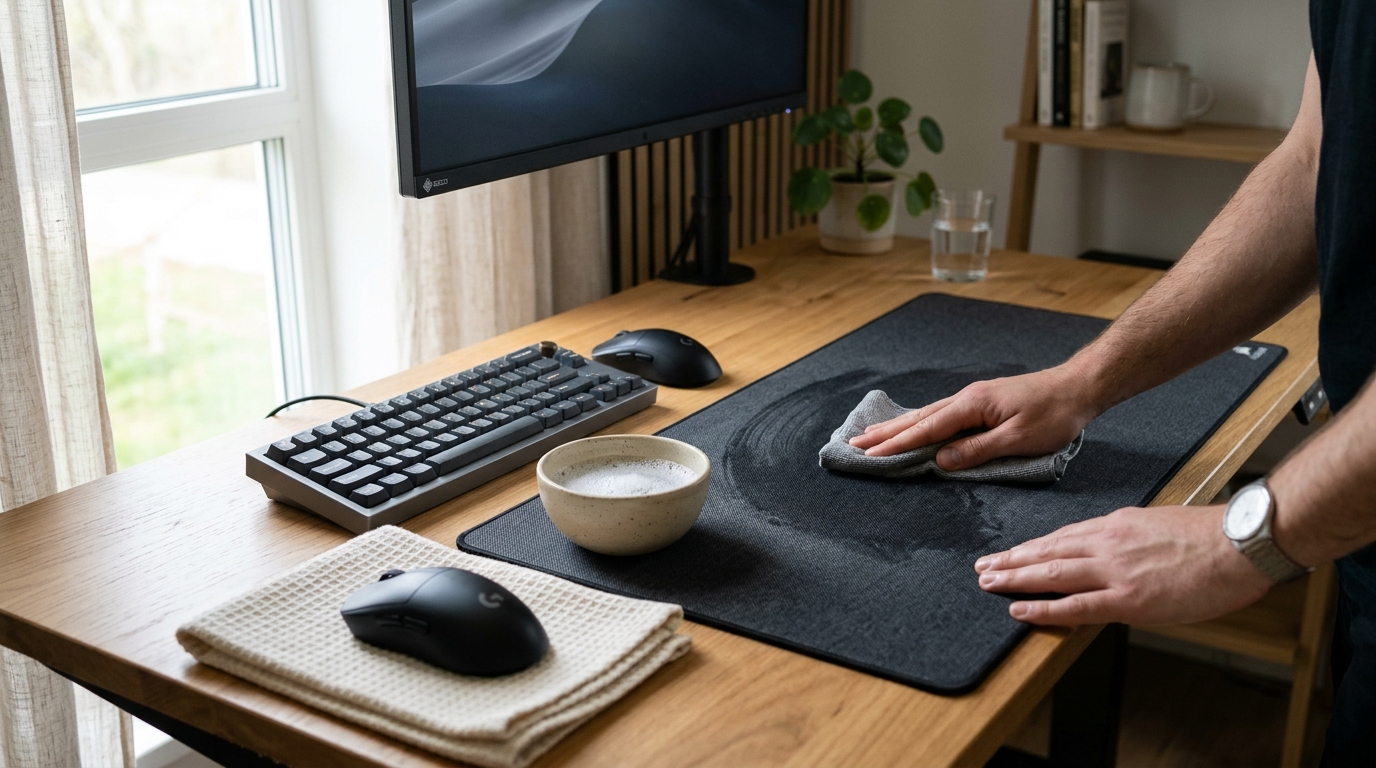
To safely clean a standard cloth or stitched-edge mouse pad without ruining its glide or rubber backing, submerge it in a basin of lukewarm water (under 95°F / 35°C) mixed with a few drops of mild liquid dish soap or Castile soap. Gently massage the surface in circular motions using a soft microfiber cloth or your bare palm—never a stiff bristle brush. Rinse thoroughly with cool running water until all soap bubbles vanish. Finally, press the pad flat between two clean dry towels to absorb bulk moisture, then lay it completely flat on a clean surface to air-dry indoors for 24 hours. Never put a mouse pad in a clothes dryer, never use a hairdryer, and never hang it in direct UV sunlight.
The 4 Vulnerabilities: Why Mouse Pads Get Ruined During Cleaning
Before scrubbing your pad, it is critical to understand the mechanical construction of modern mouse pads and extended desk mats (see our guide on desk pad vs desk mat for full dimensional and material differences). A mouse pad is not simply a piece of cloth; it is an engineered multi-layer laminate designed for precise optical tracking and friction control:
- Thermal Adhesive Bonding Failure: Almost all cloth and speed mats bond a top micro-woven polyester or nylon textile to a dense, open-cell natural rubber base using heat-activated adhesives. Hot water (above 110°F / 43°C), solvent-based spot removers, or dryer heat instantly liquify or degrade this bond, causing the surface fabric to bubble, blister, and peel away at the edges (delamination).
- Rubber Oxidation and Crumbling: The non-slip textured backing relies on flexible vulcanized rubber or neoprene. When exposed to harsh chlorine bleach, alcohol, or direct ultraviolet (UV) sunlight, the polymer chains break down, turning the rubber hard, brittle, and prone to flaking off black residue across your desk.
- Hydrophobic Coating Stripping: High-end gaming pads and water-resistant desk pads feature a fluoropolymer or silicone microscopic coating. Abrasive scrub brushes, scouring sponges, or alkaline laundry detergents strip this coating unevenly, leaving patches of high friction where your mouse suddenly drags.
- Stitched Edge Separation: Reinforced perimeter stitching prevents premature edge curling. However, scrubbing across the edges with stiff nylon bristles catches the thread loops, unraveling the seam and causing permanent fraying that catches your mouse cable or wrist.
Comprehensive Cleaning Decision Matrix by Surface Material
Different mouse pad materials require vastly different moisture levels, cleaning agents, and drying methods. Review this decision matrix before applying water or soap to your desk setup:
| Surface Material | Safe Cleaning Agent | Recommended Tool | Water Exposure Level | Drying Time | Fatal Mistake to Avoid |
|---|---|---|---|---|---|
| Standard Cloth / Neoprene | Mild dish soap or Castile soap | Plush microfiber cloth or sponge | Full lukewarm submersion | 24 to 36 hours | Hot water or clothes dryer |
| Stitched-Edge Gaming Pad | Diluted mild dish soap | Microfiber cloth (inward strokes) | Full lukewarm submersion | 24 hours flat | Scrubbing outward across stitching |
| RGB / USB-Powered Pad | 70% Isopropyl alcohol / damp soap cloth | Damp microfiber wipe only | Zero submersion (damp surface only) | 2 to 4 hours | Submerging or wetting control module |
| Hard Plastic / Resin | Warm soapy water or window spray | Soft microfiber or optical wipe | Rinse or surface damp wipe | 15 minutes | Abrasive scouring pads (scratches) |
| Tempered Glass (SkyPAD / Cerapad) | Streak-free glass cleaner or 70% IPA | Waffle-weave glass microfiber | Surface spray & buff | 5 minutes | Paper towels (leaves lint & dust) |
| Genuine / PU Leather Mat | Specialized leather cleaner / damp cloth | Soft cotton or microfiber buffing rag | Barely damp cloth (dry immediately) | 1 to 2 hours | Soaking in water or alcohol wipes |
Method 1: The Deep Basin Hand Wash (For Cloth & Stitched-Edge Pads)
The deep basin hand wash is the gold standard for full-desk mats and gaming mouse pads (SteelSeries QcK, Corsair MM300, Razer Gigantus, Logitech G640). Follow these six precise steps:
Step 1: Dry Pre-Cleaning
Take the mouse pad outside or hold it over a wastebasket. Vigorously shake it out, or use a soft lint roller to lift loose pet hair, bread crumbs, and surface debris. Wetting dry dust creates a muddy paste that embeds deeper into the woven fibers.
Step 2: Lukewarm Water Submersion
Fill a clean bathtub, utility sink, or large flat basin with 2 to 3 inches of lukewarm water. The water temperature should be comfortable to the touch—never steaming hot (keep below 95°F / 35°C). Submerge the mouse pad completely and press it flat against the bottom of the basin until it is thoroughly saturated.
Step 3: Gentle Soap Application
Drizzle a few drops of mild liquid dish soap (like Dawn Free & Clear) or natural Castile soap across the wet fabric. Dish soap is specifically formulated to break down sebum (body oils) and grease without relying on caustic acids. Spread the soap evenly across the entire surface using wet palms.
Step 4: The Circular Microfiber Scrub
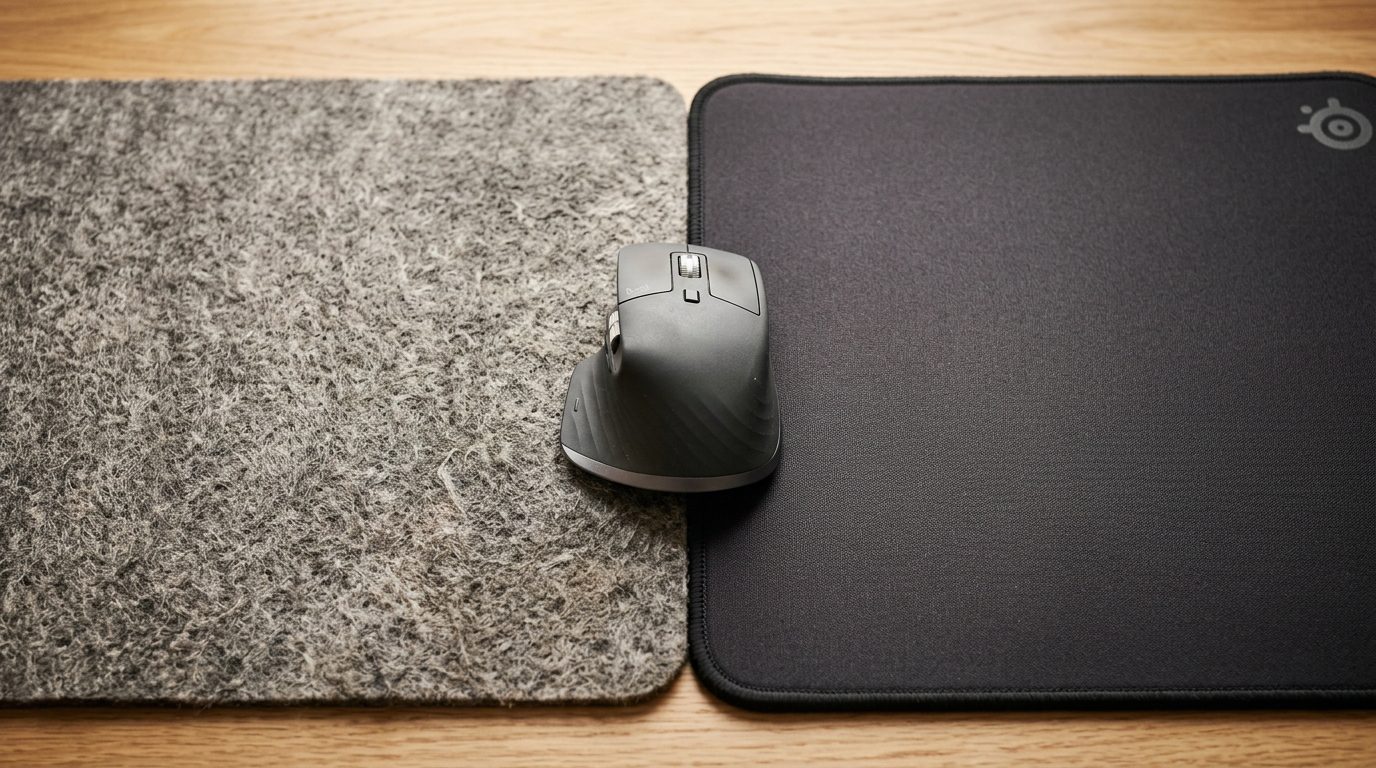
Take a clean, damp plush microfiber detailing towel and gently massage the surface using tight circular motions. Focus extra attention on the high-contact areas where your wrist and palm rest. If your pad has stitched edges, always wipe inward from the edge toward the center. Never scrub back and forth vigorously across the perimeter seam, as abrasive friction will fray the thread binding.
Step 5: Complete Rinse with Cold Water
Drain the soapy water and run clean, cold tap water over the pad. Continue smoothing your hands across the fabric until the water runs crystal clear with zero soap lather or bubbles. Any lingering soap residue left inside the fabric weave will attract fresh dust like a magnet and create sticky mouse glide once dried.
Step 6: The Towel Sandwich Extraction
Never wring, twist, or fold your mouse pad. Lay a large, dry bath towel flat on the floor or table, place the wet mouse pad on top, and place a second clean bath towel over it. Press down firmly with your forearms or walk gently across the towel sandwich. This transfers 70% of the trapped water into the towels without distorting the rubber backing.
Method 2: Cleaning RGB and Electronic Desk Mats Without Short-Circuiting
RGB desk pads (such as the Razer Goliathus Chroma or SteelSeries Prism) feature integrated fiber-optic edge tubes and an electronic control module housing sensitive micro-controllers and USB ports. Submerging an RGB pad in water will instantly destroy the electronics and cause internal optical clouding.
- Unplug and Power Down: Disconnect the USB cable completely from your computer or hub. Never attempt to clean any peripheral while connected to power.
- Protect the Controller Hub: Wrap the plastic controller box in a clean zip-top plastic bag and secure it with a rubber band to shield it from accidental moisture droplets.
- Prepare a Damp Microfiber Solution: Mix a small bowl of warm water with three drops of mild dish soap. Dip a microfiber cloth into the solution and wring it out until it is barely damp (not a single drop should drip when squeezed).
- Surface Wipe Only: Wipe the fabric surface firmly in straight lines, taking care not to push water underneath the clear optical stitching that secures the light tube. For stubborn grease spots near the wrist area, lightly dab with a cotton swab dampened in 70% isopropyl alcohol.
- Clear Water Buff: Follow up immediately with a second cloth dampened only with distilled water to remove soap film, then dry thoroughly with a dry waffle towel. Leave unplugged for at least 4 hours before reconnecting.
The Honest Truth: Can You Put a Mouse Pad in the Washing Machine?
Search forums and Reddit, and you will find gamers claiming they toss their mouse pads into the washing machine every month without issue. While it is technically possible for heavy-duty, unstitched budget mats, doing so on a high-end or aesthetic desk pad carries immense risks:
The 4 Golden Rules If You Must Machine Wash:
- 1. Front-Loaders Only: Top-loading machines with center agitator spindles will snag, twist, and tear extended desk pads. Only use front-loading machines or agitator-free washers.
- 2. Use a Mesh Delicates Laundry Bag: Always roll the mouse pad loosely (fabric facing inward) and place it inside a zippered mesh laundry bag to prevent direct friction against the metal drum.
- 3. Cold Water and Delicate Cycle: Set temperature to cold (30°C / 85°F maximum) and spin cycle to low or zero. High centrifugal spin forces shear the adhesive layer between cloth and rubber.
- 4. Liquid Detergent Only (No Pods or Fabric Softeners): Fabric softeners coat textile micro-fibers in silicone conditioning oils that permanently ruin mouse glide and tracking precision. Use a teaspoon of clear liquid detergent.
5 Fatal Drying Mistakes That Permanently Ruin Mouse Pads
Most ruined mouse pads are not destroyed during the washing phase—they are ruined during drying. Avoid these five destructive shortcuts:
- The Clothes Dryer (Fatal): Even thirty seconds on low heat will vaporize rubber adhesives, causing catastrophic surface bubbling and vulcanized rubber melting. Never put a mouse pad in a tumble dryer.
- Hairdryers on High Heat: Concentrated hot air blasts from a hairdryer unevenly shrink localized rubber sections, leaving permanent rippled ridges that can never be pressed flat again.
- Direct Sunlight Drying: Placing a black mouse pad in direct hot sun causes extreme thermal buildup and UV photodegradation, fading dye and causing rubber crumbling. Always dry indoors in a shaded room with a ceiling fan.
- Hanging by Clothespins: Clothespins concentrate the entire water weight of the wet pad into tiny pinch points, stretching the fabric and leaving permanent clamped indentations. Always dry completely flat on a towel.
- Using the Pad While Damp: Reinstalling your keyboard and mouse while the inner neoprene core is still damp traps moisture against your wooden desk, promoting mildew growth and risking keyboard PCB moisture ingress. If your keyboard slips on the newly cleaned surface, verify our guide on how to stop a keyboard from sliding on a desk.
Caring for Leather, PU, and Wool Felt Desk Surfaces
If your desk features an executive natural leather mat or an acoustic wool felt blotter rather than a gaming cloth pad, washing basin submersion is strictly prohibited:
For natural cowhide or vegan PU leather, refer to our comprehensive walkthrough on how to clean a leather desk mat. Leather requires pH-balanced foamed leather cleaners followed by light conditioning waxes to prevent cracking under wrist sweat. Never use dish soap or rubbing alcohol on genuine leather.
For wool felt surfaces, moisture causes fiber shrinking and rapid pilling. Consult our dedicated guide on how to clean a felt desk mat, which utilizes dry wool combs, fabric shavers, and localized spot blotting rather than water soaking. When weighing which premium desk surface suits your aesthetic setup, compare our breakdown of felt vs leather desk mats.
When Is a Mouse Pad Beyond Saving?
Regular cleaning extends the lifespan of a quality mouse pad from 6 months to 3+ years. However, no mouse pad lasts forever. It is time to replace your pad if you notice:
- Permanent Inconsistent Glide: If the mouse feels smooth in the corners but sticky or sluggish in the center even after deep washing, the micro-weave has physically worn down from millions of friction passes with PTFE mouse skates.
- Widespread Sponge Delamination: If the fabric has separated from the base foam across more than 15% of the surface area, no adhesive spray can restore uniform tracking flat.
- Unraveling Edge Stitching: Frayed perimeter thread loops that catch your mouse cable or wrist cannot be re-stitched cleanly. Upgrading to a durable heavy-duty stitched-edge extended desk pad restores clean tracking, protects desk wood, and elevates workspace polish.
The Optimal Maintenance Schedule for Maximum Glide
To keep your mouse pad performing at peak tracking accuracy without requiring frequent, time-consuming deep washes, implement this maintenance cadence:
- Daily (5 Seconds): Before powering up your workstation, swipe a dry lint roller or dry optical microfiber cloth across the pad to remove overnight settling dust.
- Bi-Weekly (2 Minutes): Wipe down your wrist rest contact zone with a warm, damp microfiber cloth wrung out with water only, removing surface skin oils before they oxidize.
- Every 3 to 6 Months: Execute the Method 1 Deep Basin Hand Wash on a Friday afternoon so the pad can air-dry flat over the weekend without interrupting your work week.
Summary: Safe Cleaning Checklist
- Always use lukewarm or cold water (never hot).
- Use mild liquid dish soap or Castile soap; never harsh laundry detergents or bleaches.
- Scrub with plush microfiber cloths or your bare hands; never stiff bristles.
- Wipe inward on stitched edges to prevent thread fraying.
- Press dry inside towels and air-dry flat for 24 hours away from heat and direct sun.
Pingback: Felt vs Leather Desk Mat: Which Surface is Better for Your Setup? (2026) - My Aesthetic Desk
Pingback: How to Clean a Leather Desk Mat: Stain Removal Guide (2026)
Pingback: Desk Pad vs Desk Mat: Key Differences & Which is Better? (2026 Guide) - My Aesthetic Desk