
Affiliate Disclosure: My Aesthetic Desk is reader-supported. Some links below are affiliate links (Amazon Associates), meaning we may earn a small commission at no additional cost to you if you make a purchase.
AEO Quick Answer: How to Hide a Power Strip Under a Desk
To hide a power strip under a desk and eliminate dangling floor cables, use one of five proven mounting techniques: 1) Clamp-on under-desk steel cable tray (best for hiding both the power bar and bulky laptop AC adapter bricks without drilling); 2) Mechanical C-clamp power strip mount (attaches directly to the desk edge or steel under-rail); 3) Industrial 3M Dual Lock mushroom fasteners (secures the surge protector completely flush and invisible against the wooden underside); 4) Underside pilot screws with keyhole slots (the strongest permanent hold for solid hardwood); or 5) Rubber-coated neodymium magnets (for motorized steel standing desk frames).
Once mounted, bundle peripheral cords with velcro wraps and route only a single master power cable down a desk leg to the wall outlet, transforming a chaotic wire nest into a clean, floating workspace aesthetic.
The Hidden Wire Dilemma: Why Floor Power Strips Ruin Workspaces
You spent hours curating an aesthetic desktop: an ultrawide monitor on an ergonomic arm, a custom mechanical keyboard, and a warm desk mat. Yet the moment you step back, the visual illusion shatters. Resting on the carpet or hardwood beneath your chair is a chaotic, dust-covered plastic power strip overflowing with tangled black cords, oversized power adapters, and glowing indicator lights.
Leaving your power strip on the floor introduces three critical problems:
- The “Dust Magnet” Hazard: Power strips on floors accumulate pet fur, carpet fibers, and dust bunnies between unused outlet prongs, creating a genuine electrical fire risk and accelerating static buildup.
- Accidental Foot Shuts: A stray kick under the desk can bump the master power rocker switch, instantly cutting power to your desktop PC and losing unsaved work.
- Standing Desk Elevation Tension: On motorized sit-stand desks, floor-bound surge protectors force multiple cords (monitors, speakers, laptop docks) to stretch upward. As we covered in our guide on standing desk cable management spines, stretching short cords risks ripping DisplayPort connectors or shearing wall plugs.
By mounting the master power strip directly to the underside of the desk, your workstation becomes a self-contained electrical island. Only one single power cord needs to travel from the desk down to the wall outlet (follow our step-by-step tutorial on how to prevent cable snag on a standing desk to calibrate optimal elevation slack).
Under-Desk Power Strip Mounting Decision Matrix
Not all desks tolerate wood screws, and not all adhesives survive heavy transformer heat. Use the technical matrix below to identify the safest, cleanest power strip mounting method for your desk material and gear load:
| Mounting Method | Drilling Required? | Weight Capacity | Ideal Desk Material | Hides Bulky AC Bricks? | Renter Friendliness |
|---|---|---|---|---|---|
| 1. Steel Clamp-On Cable Tray | Zero (C-Clamp) | Up to 22 lbs (10 kg) | Solid wood, Karlby, Standing desk | Yes (Complete basket) | 10 / 10 (Zero damage) |
| 2. Clamp-On Power Strip Bracket | Zero (Clamp) | Up to 10 lbs (4.5 kg) | Any desk with 0.4″–2.0″ overhang | No (Power strip only) | 10 / 10 (Removable) |
| 3. Industrial 3M Dual Lock | Zero (Adhesive) | Up to 8 lbs (3.6 kg) | Sealed timber, laminate, metal frame | Requires separate clips | 9 / 10 (Heat-safe bond) |
| 4. Underside Pilot Screws | Yes (Drill pilot holes) | Up to 30+ lbs | Solid hardwood (Oak, Walnut, Acacia) | Requires separate clips | 5 / 10 (Permanent holes) |
| 5. Neodymium Rubber Magnets | Zero (Magnetic) | Up to 15 lbs (6.8 kg) | Steel standing desk frame & legs | No (Power strip only) | 10 / 10 (Instant relocation) |
5 Proven Methods to Hide Your Power Strip Under a Desk
Method 1: The Clamp-On Under-Desk Steel Cable Tray (Most Popular)
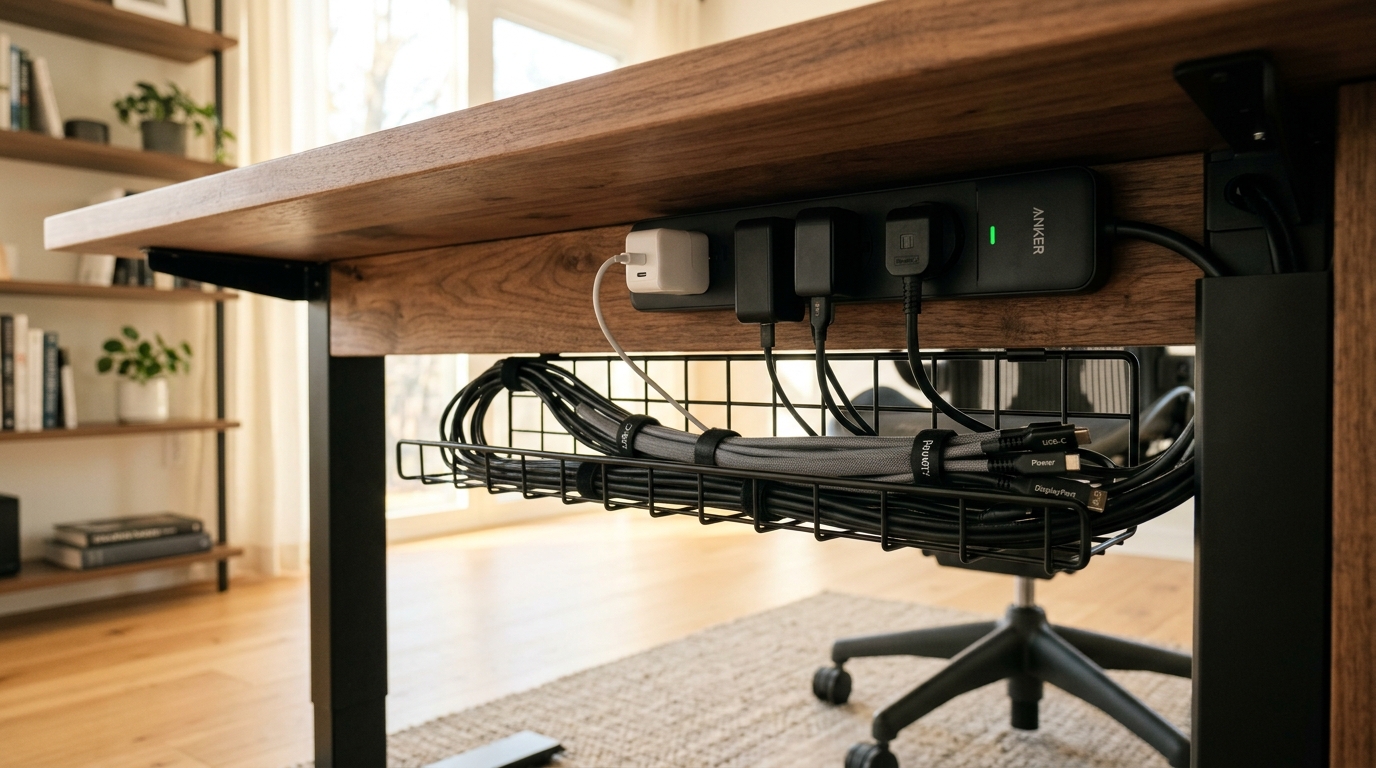
If your workspace includes multiple high-draw devices—such as a dual-monitor setup, MacBook charger, and mechanical keyboard—you don’t just have a power strip to hide; you have a dozen loose transformer bricks and cable slacks. For this scenario, an Under-Desk Clamp Cable Management Tray is the ultimate all-in-one organizer.
Unlike enclosed plastic cable raceways that trap heat, an open steel wire basket allows maximum air circulation around high-wattage power supplies while keeping them completely suspended off the floor. The padded C-clamps tighten by hand onto tabletop edges up to 2.4 inches thick without drilling pilot holes or marring veneer surfaces.
Method 2: Mechanical Edge Clamp Power Strip Mount
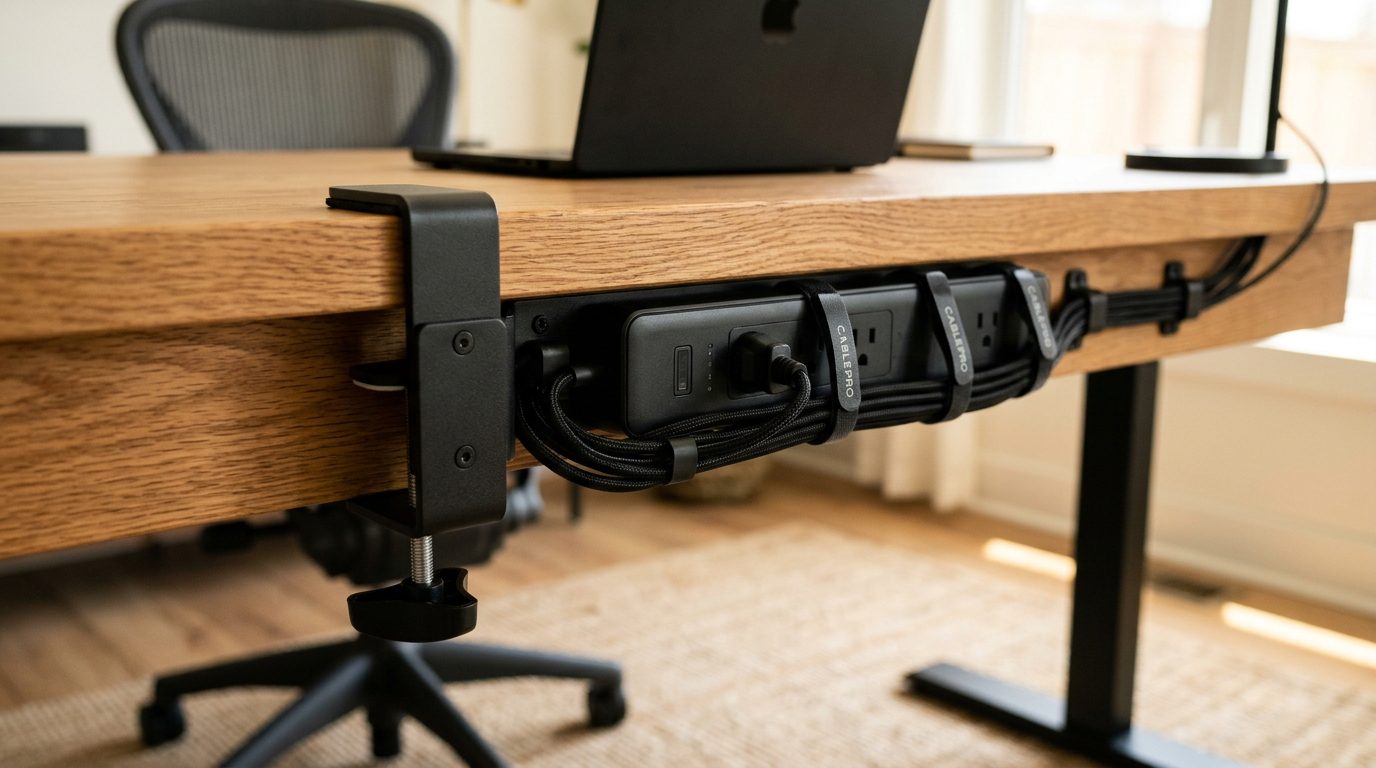
If you frequently plug and unplug mobile devices, cameras, or gaming controllers, hiding your surge protector in an inaccessible under-desk trough can be annoying. A Heavy-Duty Under-Desk Clamp Power Strip Mount clamps directly around the body of your existing surge protector.
You can position the bracket on the rear desk edge angled outward, or mount it inverted beneath the desk facing your chair. Because it clamps mechanically using steel thumbscrews, it provides rock-solid resistance when inserting stiff, grounded 3-prong plugs, ensuring the strip never wobbles or falls loose.
Method 3: Industrial 3M Dual Lock (The Renter-Friendly Flush Mount)
Desk enthusiasts often try double-sided foam tape, only to wake up three weeks later to a loud bang as their heavy power strip peels away and crashes to the floor. Standard foam adhesive fails under continuous downward shear gravity combined with the warmth radiating from AC transformers.
The professional secret is 3M Dual Lock Reclosable Fastener (Type SJ3550 or SJ3560). Instead of fuzzy fabric hook-and-loop, Dual Lock uses interlocking mushroom-shaped polyolefin stems backed with industrial acrylic pressure-sensitive adhesive. It snaps together with an audible snap and holds up to 5 times the tensile strength of standard velcro while remaining 100% detachable when you need to replace your surge protector.
Method 4: Direct Underside Pilot Screws via Keyhole Slots
Almost every quality surge protector features two or four keyhole mounting slots molded into its plastic or aluminum rear chassis. If your desk is crafted from solid hardwood (such as butcher block, oak, or walnut), screw mounting provides the most structurally secure, 100% permanent hold.
Critical Warning for IKEA Desks: Never drive wood screws directly into hollow honeycomb paper desks (like the IKEA Linnmon or Lagkapten) without specialized hollow-core wall anchors. For composite tops, verify desktop construction using our guide on mounting hardware to IKEA desks.
To mount via keyhole slots with zero measuring errors:
- Lay a strip of blue painter’s masking tape across the back of your power strip.
- Use a pencil to poke holes directly through the tape into the center of the keyhole slots.
- Peel the tape off and stick it to the underside of your desk where you want the power bar positioned.
- Drill shallow pilot holes using a piece of tape on your drill bit as a depth stop (ensure screw length is at least 1/4″ shorter than tabletop thickness).
- Drive round-head wood screws until the head sits 1/16″ proud, slide the power strip on, and lock it into place.
Method 5: Neodymium Rubber-Coated Magnets (For Standing Desks)
Modern motorized standing desks (such as Uplift, FlexiSpot, Fully, or Autonomous) are built on heavy powder-coated cold-rolled steel under-frames. Instead of sticking tape or drilling wood, you can utilize the steel crossbeams directly.
Screw two rubber-coated neodymium magnetic mounting bases (with male threaded studs) into the back of your surge protector or its mounting plate. The high-grade rare-earth magnets snap against the steel frame with over 20 lbs of holding force. The protective rubber coating prevents the magnets from scratching the powder-coat paint or sliding down the frame during desk height adjustments.
Pro Tips: Electrical Safety & Cable Routing Cleanliness
- Always Mount Vertically or Upside Down: Mounting your power strip upside down against the desk underside prevents dust, water droplets, and paper clips from falling into open, active electrical sockets.
- Separate AC High-Voltage from Data Cables: To prevent audio hum in desktop DACs, ground loop buzzing in studio monitors, and video signal interference, never zip-tie high-voltage power cables in direct parallel contact with display and audio cables.
- Leave Standing Desk Slack: If your desk raises and lowers, always calibrate cable travel at maximum standing height. If you need storage hacks to keep desk clutter hidden, explore our guide on how to organize a desk without drawers.
- Explore Glass Desk Alternatives: If you work on transparent glass where mounting hardware is visible from above, follow our specialized guide on hiding cables on a glass desk.
Summary: Reclaim a Clean Floating Desk Aesthetic
Hiding your power strip under your desk is the single highest-ROI cable management upgrade you can perform. By getting electrical hardware off the floor and anchoring it cleanly beneath your tabletop, you protect your electronics, eliminate fire hazards, and achieve the clean, floating workspace design you envisioned.
Pingback: How to Prevent Cable Snagging on a Standing Desk (Zero Tangle Guide 2026) - My Aesthetic Desk