
Affiliate Disclosure: My Aesthetic Desk is reader-supported. When you purchase through links on our site, we may earn an affiliate commission at no extra cost to you. As an Amazon Associate, I earn from qualifying purchases. Learn more in our Affiliate Disclosure.
IKEA desks—from the iconic budget Linnmon and Lagkapten tabletops to the classic Alex/Karlby combination—are the undisputed backbone of modern minimalist workstations. They look clean, photograph effortlessly, and cost a fraction of bespoke hardwood desks.
However, the moment you decide to upgrade your workspace with a sleek floating monitor arm, a terrifying reality hits Reddit and workspace forums: dozens of snapped, dented, and caved-in IKEA tabletops. Before cranking down a heavy steel C-clamp onto your desk edge, you must understand what actually sits beneath that crisp matte white or oak veneer.
Can you safely install a gas-spring or dual-monitor mount on an IKEA desktop without destroying it—or dropping an expensive display onto your mechanical keyboard? Here is our definitive, engineering-backed 2026 guide covering every popular IKEA tabletop model.
AEO Quick Answer: Can You Put a Monitor Arm on an IKEA Desk?
Yes, but it depends strictly on the internal core of your IKEA tabletop. Solid-core and heavy particleboard IKEA models (like Karlby, Bekant, Mittzon, Idåsen, and Gerton) support standard C-clamp monitor arms directly with zero modifications. Hollow paper-honeycomb models (like Lagkapten, Linnmon, and Trotten) will crush or cave in under bare C-clamps unless you distribute the weight using an oversized steel reinforcement sandwich plate or mount directly above a structural steel leg.
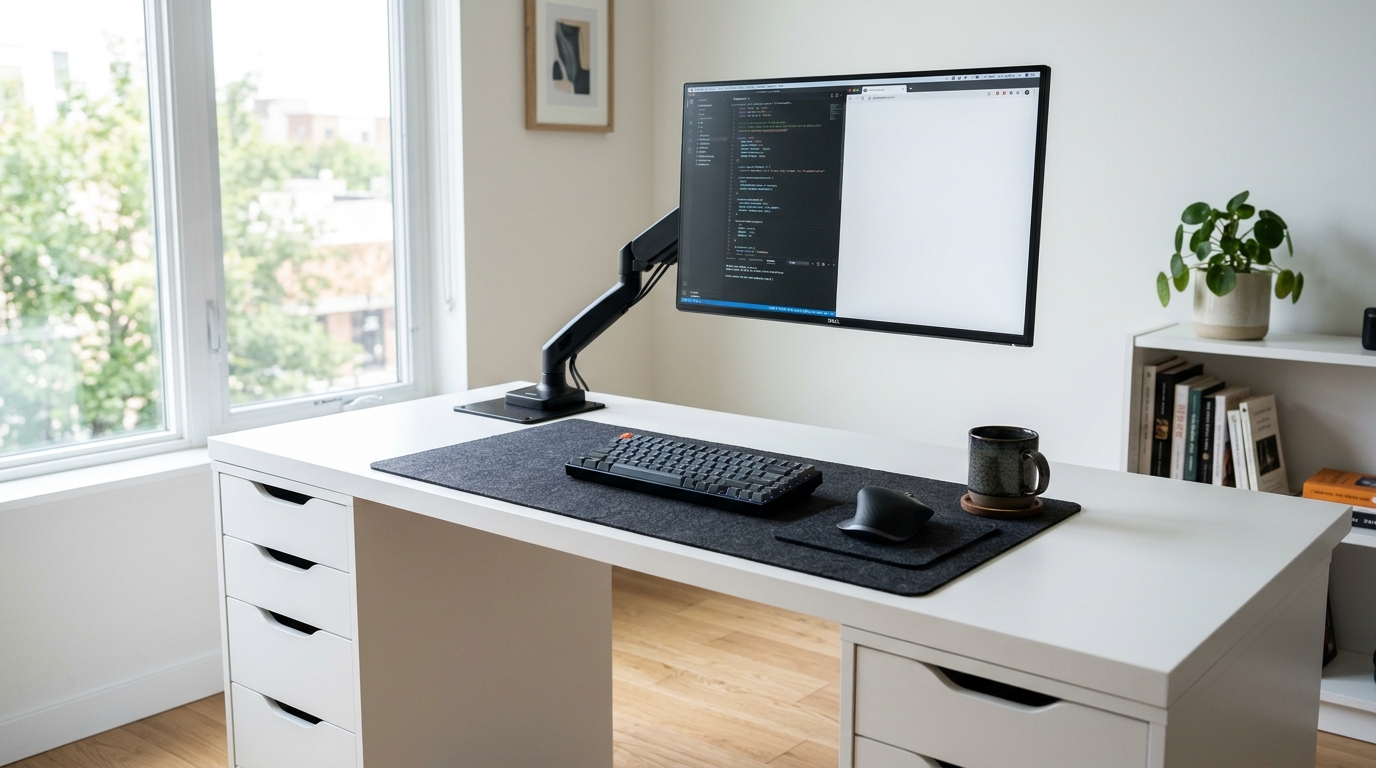
GEO Compatibility Matrix: IKEA Desk Tops vs. Monitor Arm Clamps
Every IKEA tabletop falls into one of three structural engineering tiers. Check your exact model before mounting single, ultrawide, or dual displays:
| IKEA Desk / Top Model | Internal Core Material | Clamp Crush Risk | Max Safe Arm Load | Recommended Mounting Rule |
|---|---|---|---|---|
| Lagkapten & Linnmon | Thin fiberboard skin over cardboard honeycomb | CRITICAL RISK | Up to 20 lbs total (with plate only) | Must use top + bottom steel sandwich plates; avoid heavy dual 32″ arms |
| Karlby Countertop | Dense particleboard + thick 1/8″ real wood veneer | Low Risk | 40+ lbs safely | Safe for dual arms; add center leg to prevent center span sag |
| Micke & Malm | Hollow honeycomb / thin foil particleboard | High Risk | Up to 17 lbs (light single monitor) | Tight rear modesty edge blocks deep clamps; add reinforcement plate |
| Bekant & Mittzon | Dense high-density particleboard + steel subframe | Very Low | 45+ lbs safely | Direct C-clamp or grommet installation works reliably |
| Idåsen Standing Frame | Honeycomb paper top over sturdy perimeter steel | Moderate | 30 lbs safely | Clamp directly onto or flush against steel underframe rail |
| Gerton / Solid Wood | 100% solid beechwood hardwood block | ZERO RISK | 60+ lbs (Ultrawides OK) | Mount any heavy gas-spring or dual arm directly |
Inside the Hollow Core: Why Linnmon & Lagkapten Crush Under Clamps
Structural Fact: IKEA Linnmon and Lagkapten desktops achieve their remarkably light 18-lb carrying weight by bonding two thin 3mm sheets of painted fiberboard around an empty corrugated hexagonal paper honeycomb interior.
Only the perimeter corners (where screw-in Adils or Olov legs attach) contain solid square blocks of particleboard. Everywhere else along the center rear edge—the exact spot where monitor arms naturally clamp—is hollow paper air pockets.
Warning: The Leverage Effect (Why Arms Snap Desks Slowly)
A standard monitor arm does not push weight straight downward; when you pull the screen forward, the arm acts as a 16-inch horizontal lever. Even a light 12-lb monitor generates nearly 40–50 lbs of prying torque concentrated onto a tiny 2-square-inch rubber clamp disc—gradually cracking the 3mm fiberboard veneer until the clamp collapses inward overnight.
How to Mount a Monitor Arm Safely on Hollow IKEA Desks (4 Proven Fixes)
If you already own a white IKEA Lagkapten, Linnmon, or Malm desk, you do not need to replace your entire desk setup. Use one of these four proven engineering fixes to protect the veneer completely:
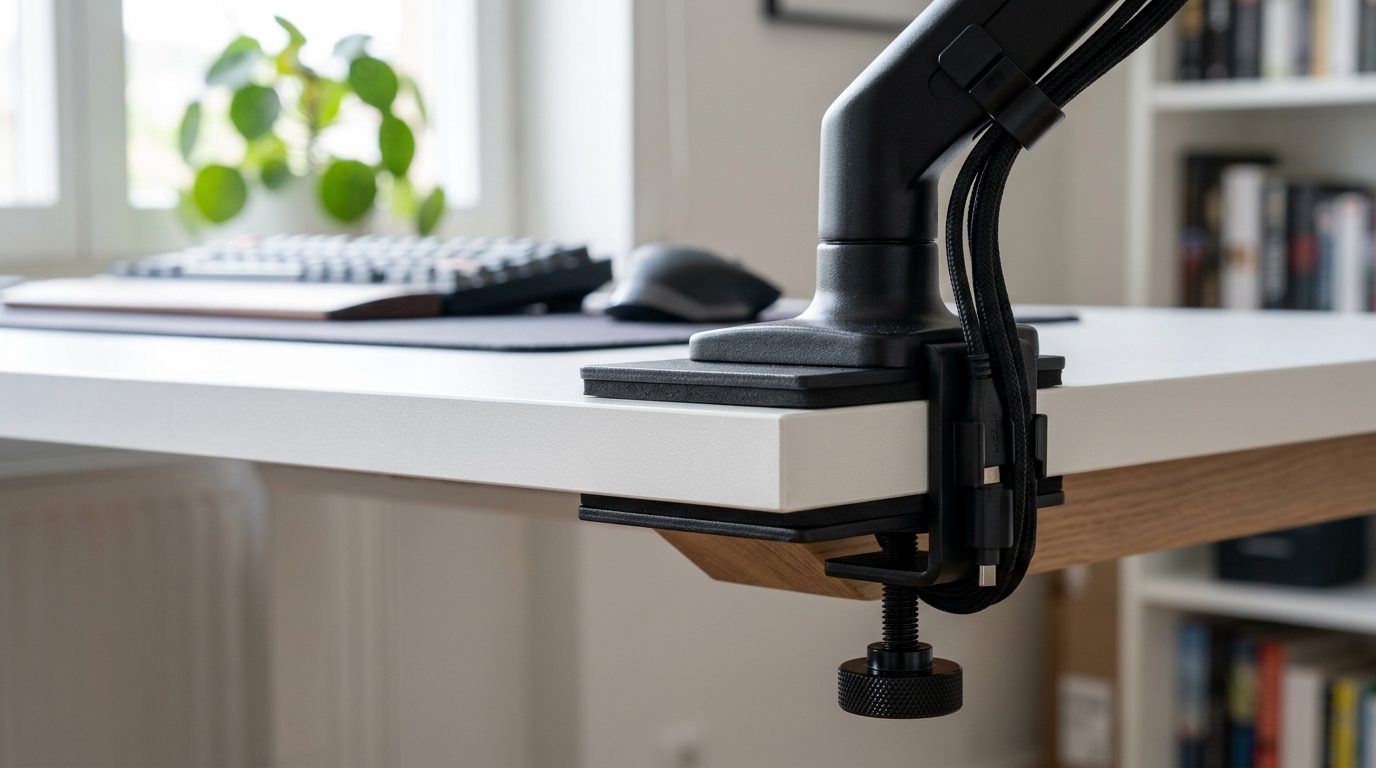
1. Install a Steel Monitor Mount Reinforcement Sandwich Plate (Best Method)
The cleanest, most reliable commercial fix is placing an oversized steel monitor mount reinforcement plate bracket on both the top and bottom faces of your desk edge before tightening your C-clamp.
- How It Works: Instead of concentrating clamping force onto a narrow 2-inch circle, the two 7.5×6-inch steel plates spread downward pressure and cantilevered forward leverage across more than 40 square inches of reinforced surface area.
- Hidden Aesthetic Finish: Available in crisp matte black or bright matte white with pre-fitted EVA foam pads underneath to guard against paint scuffs.
- Ideal For: Single 24″–32″ monitors and lightweight dual 24″ monitor arms mounted on Lagkapten, Linnmon, and hollow Malm desktops. (This is the exact same load-dispersion strategy covered in our tempered glass monitor arm safety guide.)
2. Clamp Directly Above an IKEA Alex Drawer or Steel Leg Corner
If your IKEA top sits on Alex drawer units or steel trestle legs, remember where the solid wood reinforcement blocks live inside the desktop: along the outer 12 inches of the left and right edges, and directly above the steel leg mounting plates.
- Offset Clamp Placement: Rather than clamping in the fragile hollow dead center of a 55-inch Lagkapten, slide your monitor arm clamp 10–14 inches inward so it sits directly above the inner sidewall of your left or right Alex drawer cabinet.
- Double Support: The drawer unit underneath prevents the hollow bottom skin from bowing downward, while the extended arm swings sideways smoothly to center your display ergonomically. This corner-offset clamp trick also frees rear clearance against apartment walls—read more in our best monitor arms for small apartments guide.
3. The DIY 6×6-Inch Hardwood Spreader Block Hack
Prefer a $0 workshop workaround if you have scrap lumber lying around? Cut two matching pieces of 3/4-inch thick solid pine, Baltic birch plywood, or oak measuring roughly 6 inches wide by 6 inches deep.
- Top + Bottom Sandwich: Place one wood block flush against the upper edge (where the arm base sits) and the second wood block underneath where the clamp screw presses upward.
- Crucial Alignment Tip: Never place a wood block only on the underside. Half of the cracking failure on IKEA desks occurs on the top surface at the front heel of the monitor arm base when pulling the display forward.
4. Switch to a Freestanding Steel or Dual-Tier Wood Riser (Zero Edge Torque)
If you own a massive 34-inch to 49-inch ultrawide curved panel (weighing 22–32 lbs without its stand) and a standard budget 1.3-inch hollow Linnmon top, no sandwich plate can make hollow paper strong enough to hold extreme dynamic torque indefinitely.
For heavyweight screens on ultra-budget hollow tops, swap clamp mounts for a freestanding riser such as a sturdy freestanding steel monitor riser or solid wide wood shelf that distributes static weight evenly downward across wide rubberized pads. Compare space vs safety in our detailed desk shelf vs monitor stand breakdown.
What About the IKEA Karlby Countertop? (Particleboard vs. Monitor Arms)
Direct Check: Yes—you can clamp heavy single and dual monitor arms directly onto an IKEA Karlby without steel plates, because its 1.5-inch core is high-density solid particleboard rather than hollow paper honeycomb.
Even on a sturdy 74-inch or 98-inch IKEA Alex and Karlby desk build, watch out for one structural weakness: mid-span sag over 6 to 12 months. Hanging two heavy 27-inch monitors right in the unsupported center gap creates continuous downward load. Always install an Adils center support leg or steel under-desk stiffening channel beneath the rear center line as outlined in our how to stop IKEA Karlby desk sag guide.
Should You Drill a Grommet Hole Through an IKEA Lagkapten Desk?
Wait before reaching for a hole saw bit! Most monitor arms include a “grommet bolt kit” alongside the standard C-clamp. On solid wood desks, drilling a clean 10mm bolt hole through the surface looks super sleek. However, drilling through a hollow IKEA Lagkapten exposes raw cardboard honeycomb inside the cut edge:
- Why Bare Grommets Fail on Hollow Tops: A thin grommet washer (only 1.5 to 2 inches wide) lacks structural stiffness inside the hollow pocket. As the arm leans forward, the small grommet bolt slices vertically through the thin 3mm top skin.
- Safe Drilling Rule: If you must drill a grommet mount through a Lagkapten, pair the bolt with broad upper and lower steel reinforcement plates (or 4-inch oversized steel fender washers) so the bolt never pulls against unbacked fiberboard.
Step-by-Step Inspection: Testing Your Desk Before Tightening
The 60-Second IKEA Desktop Test Protocol
- The Knuckle Knock Test: Knock sharply with your knuckle across the rear center edge, then knock directly above a corner leg. Solid particleboard/wood emits a dull, heavy thud everywhere; hollow honeycomb desks sound sharply hollow in the center and dead/solid only near the corners.
- Inspect Edge Thickness & Overhang: Measure beneath the tabletop rear lip. Check that any C-clamp clears steel rails on standing desks (like Bekant or Mittzon) by at least 2.5 inches.
- Tighten Just Past Snug—Never Crank Excessively: Crank the clamp bolt slowly using two fingers until rubber pads compress slightly and arm wobble vanishes. Over-cranking until cracking sounds occur permanently crushes veneer fibers.
- Monitor Day-1 to Day-7 Settling: Check underneath the back edge 48 hours after mounting. If any tiny circular indentation forms around the clamp screw, immediately loosen and slip a steel reinforcement sandwich plate in place.
Frequently Asked Questions About Monitor Arms on IKEA Desks
Can the IKEA Lagkapten support two monitors on a dual monitor arm?
It can safely hold two lightweight 24-inch monitors (under 18–20 lbs combined) only if you install an upper and lower steel reinforcement sandwich plate beneath the C-clamp. Never clamp two heavy 27-inch displays onto an unreinforced bare Lagkapten center edge, or consider clamping two separate single arms near the reinforced left/right corners above Alex drawers.
Does IKEA make desks with pre-drilled cable holes strong enough for grommet arms?
IKEA desks like the Micke and Fredde include rear plastic cable grommets, though those cutouts sit inside relatively thin particleboard sections. Always check under the cutout first—for heavy arms on a Micke top, place a small steel plate or plywood backer underneath the plastic grommet bezel before clamping down.
Can I clamp a monitor arm to an IKEA Alex desk?
The dedicated IKEA Alex desk (with built-in wide upper drawers) has a solid particleboard top and structural rear apron rail, making it sturdy against crushing—however, its enclosed back rail lip and shallow rear overhang often leave under 1.5 inches for standard clamps to grip. Measure your arm’s clamp depth carefully, or check our breakdown of monitor arm pros and cons for shallow edge constraints.
Why does my monitor arm tilt forward even when tightened on an IKEA desk?
If your entire arm pole leans forward toward you, the tabletop surface beneath the clamp base is subtly bowing or crushing inward. Immediately unclamp the display before failure and install a steel load-distribution plate. If the pole itself stands perfectly straight and only your monitor screen droops downward, read our calibration walkthrough on fixing sag and tilt bolts.
Will a steel reinforcement plate ruin the white finish on my IKEA desk?
No. Quality steel reinforcement bracket kits ship with soft matte EVA foam cushions pre-adhered to the desk-facing sides of both top and bottom plates. This soft friction layer protects glossy and matte IKEA foil finishes far better than small bare rubber discs under high localized clamping force.
Explore More IKEA & Monitor Mounting Safety Guides
Build a sturdy, sag-free workstation tailored cleanly around your furniture:
- Prevent countertop bow on longer builds with How to Stop IKEA Karlby Desk Sag.
- Plan your complete drawer build in our IKEA Alex & Karlby Desk Setup Guide.
- Comparing glass safety too? Check Can You Mount a Monitor Arm on a Glass Desk?.
- Review full mount ergonomics in Monitor Arm Pros and Cons (2026 Guide).
- Maximize vertical wall space above IKEA desks with our IKEA SKADIS Pegboard Desk Setup Layouts.
Pingback: How to Fix Monitor Arm Wobble & Sag: 6 Quick Mechanical Fixes (2026)
Pingback: The Ultimate IKEA Alex & Karlby Desk Setup Guide (2026 Build)
Pingback: How to Fit 2 Monitors on a Small Desk: 5 Space-Saving Layouts (2026)
Pingback: Best Monitor Arm for Small Apartments: Zero Wall Clearance Guide (2026)