
Affiliate Disclosure: My Aesthetic Desk is reader-supported. Some links below are affiliate links (Amazon Associates), meaning we may earn a small commission at no additional cost to you if you make a purchase.
AEO Quick Answer: Corner Desk vs Straight Desk for Small Rooms
For most small rooms under 100 sq ft (10×10 ft), a straight desk (40 to 48 inches wide) is superior to a corner desk. While a corner desk provides 30% to 50% more tabletop surface area by tucking into room perimeters, it requires an expansive 36-inch diagonal chair rollback radius that consumes central floor space, obstructs bedroom walkways, and traps cords against two walls.
Choose an L-shaped corner desk only if you require dedicated dual multitasking zones (e.g., computer work on one wing, sketching or paperwork on the other) and have an open corner at least 4 feet away from doors, closet swings, and heating radiators.
The Small Room Conundrum: Usable Surface vs Floor Circulation
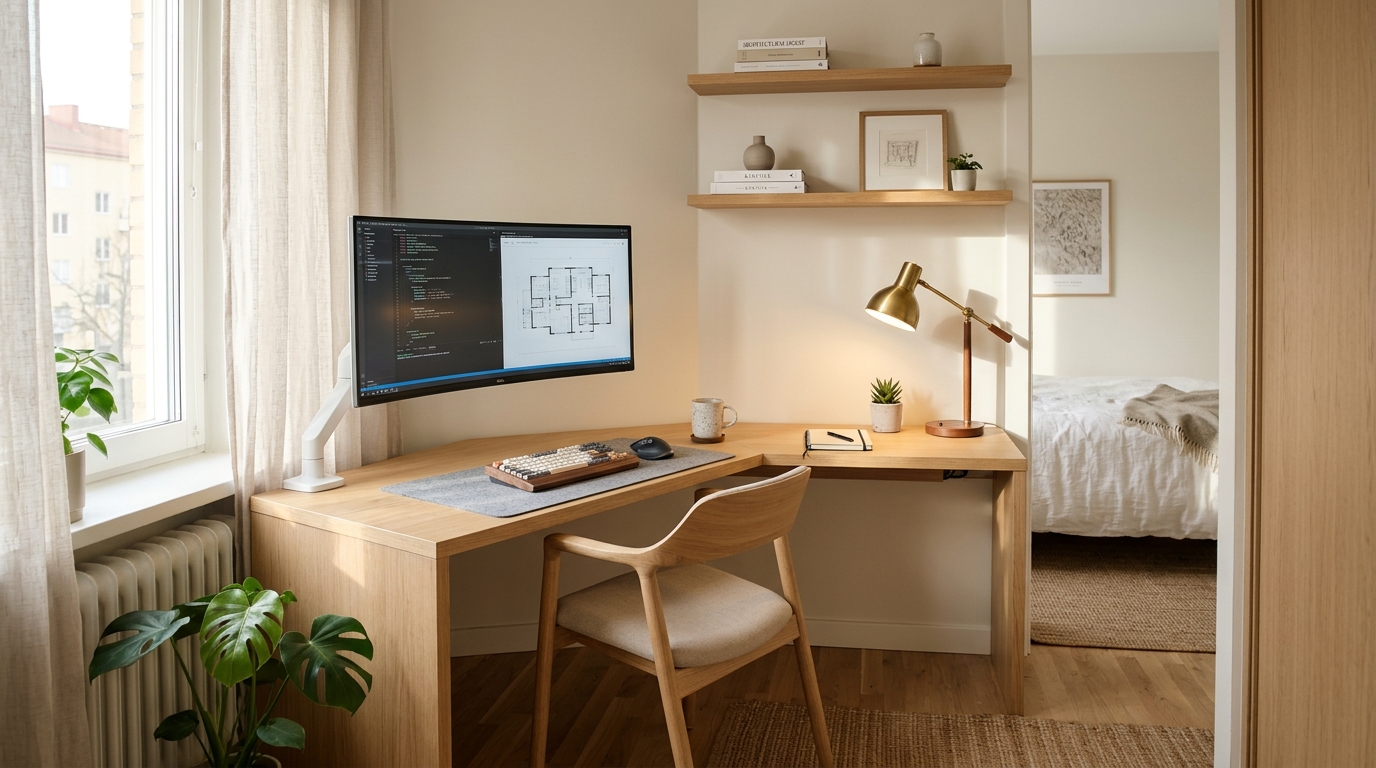
When furnishing a compact bedroom, studio apartment, or dual-purpose guest office, every square inch of floor space counts. The most common dilemma workspace builders face is deciding between an expansive L-shaped corner desk and a streamlined straight wall desk.
On paper, corner desks appear to be the ultimate space-saving magic trick: they utilize dead corner angles that would otherwise sit vacant. However, in physical reality, furniture geometry is about more than just tabletop square inches. It is about circulation volume, door swings, and ergonomic chair clearance.
If your desk blocks your closet door, forces you to shimmy sideways around the bed, or blocks natural window daylight, your workspace will feel cramped and claustrophobic regardless of how neat your setup looks. Let’s examine the dimensional realities of both furniture footprints.
Corner Desk vs Straight Desk Decision Matrix
Use this architectural comparison table to weigh tabletop capacity against room circulation and spatial ergonomics:
| Design Metric | Small L-Shaped Corner Desk | Compact Straight Desk (40″–48″) | Corner Triangle Wedge Desk |
|---|---|---|---|
| Total Usable Surface | High (1,200–1,800 sq in) | Moderate (800–1,150 sq in) | Low (600–850 sq in) |
| Chair Rollback Clearance | Requires 36″–42″ Diagonal Arc | Requires 28″–32″ Linear Arc | Requires 34″ Diagonal Arc |
| Room Floor Openness | Dominates Corner & Center | Maximizes Open Floor Space | Preserves Walkways |
| Dual Monitor Support | Exceptional (Separate Wings) | Good (Requires Monitor Arms) | Poor (Corner Depth Limits Width) |
| Cable Management Access | Difficult (Trapped in Apex) | Easy (Single Rear Apron) | Moderate (Apex Grommets) |
| Future Moving Flexibility | Low (Corner-Specific Orientation) | High (Fits Any Flat Wall) | Low (Corner Dependent) |
6 Critical Factors to Compare Before Buying
1. Tabletop Real Estate & Multitasking Work Zones
The primary strength of an L-shaped corner desk is its natural division of labor. By providing two distinct perpendicular table wings, a corner desk lets you establish separate operational zones: your primary display and keyboard on the longer wing, and secondary hardware (such as drawing tablets, paperwork trays, or studio mixers) on the return wing.
If you work in software development, finance, or graphic design where you frequently switch between analog notes and dual displays, a compact corner desk like the SHW 55-Inch Electric L-Shaped Standing Desk provides dedicated acreage without taking over the entire perimeter. In contrast, on a straight desk under 48 inches, keeping analog books and a dual-screen rig requires vertical organization—such as adding a desk shelf vs monitor stand to stack peripherals.
2. Walkway Circulation & The 36-Inch Rollback Rule
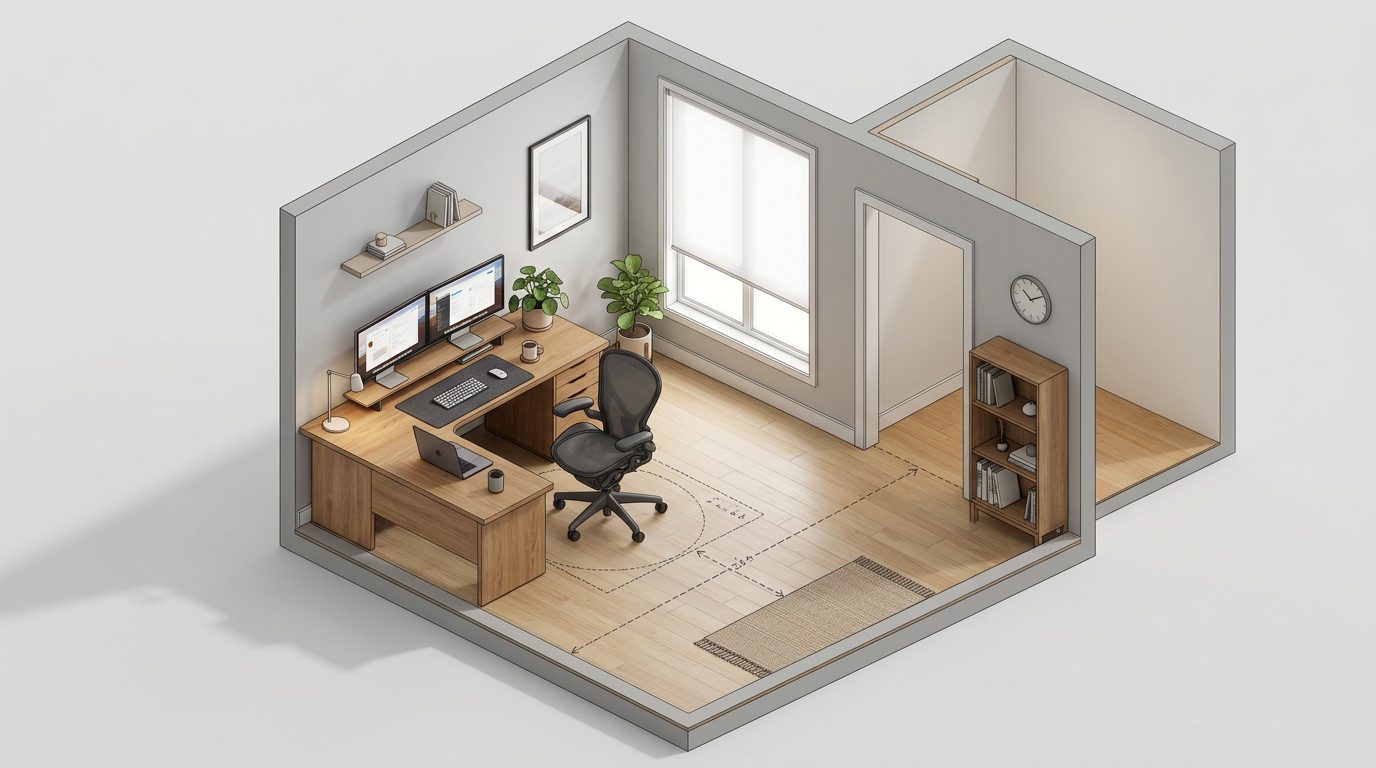
Here is the single biggest design error homeowners make: they measure the desk’s physical dimensions, confirm it fits between two walls, and order it—forgetting that an office chair occupies space when occupied.
When seated, an ergonomic task chair projects 24 to 28 inches outward from the desk edge. When you slide backward to stand up, you need a minimum of 36 inches (90 cm) of unobstructed rollback clearance.
- With a Straight Desk: Your chair rolls straight back against the opposite wall or beside the bed, requiring a narrow linear corridor.
- With a Corner Desk: Your seated posture faces diagonally into the room’s corner apex (at a 45-degree angle). Rolling backward sends your chair directly into the geometric center of your room, frequently colliding with bed frames, dressers, or entry door swings.
3. Window Placement, Natural Daylight & Radiator Obstructions
In compact bedrooms, corners frequently harbor physical architectural constraints: baseboard heaters, hot water radiators, or window frames. Tucking an L-shaped desk into a corner can force one wing directly over a heat source, risking desktop timber warping or creating fire risks. Before placing any furniture near baseboard heat, read our guidelines on putting a desk in front of a radiator.
Furthermore, facing straight into a corner positions your back directly to room windows or overhead fixtures, creating harsh glare on your monitor screen and casting heavy shadows over your keyboard. A straight desk gives you the freedom to position your workspace perpendicular to windows for balanced natural task lighting.
4. Multi-Monitor Geometry: Flat Wall vs Corner Apex
Mounting two 24-inch or 27-inch displays on a straight desk is simple: you line them up along a single horizontal plane or clamp a dual monitor arm to the rear center edge. For tight dimensions, follow our step-by-step layout strategies on how to fit 2 monitors on a small desk.
On a corner desk, mounting displays presents a unique challenge:
- Corner Apex Mount: Sitting at the diagonal junction pushes your screens deep into the corner wedge. While this provides great viewing distance, the angled corner legs frequently prevent standard C-clamp monitor arms from attaching flush.
- Wing Mount: Centering your main screen on one wing leaves the secondary wing for accessories, but forces you to twist your neck 90 degrees to view secondary displays, causing asymmetrical cervical strain over time.
5. Cable Management in Confined Corners
Managing cords on a straight desk is straightforward: you route wires down a single rear edge into an under-desk cable tray. In contrast, a corner desk pushes its apex flush against two intersecting walls. If you drop a power brick or need to plug in a USB-C cable behind the desk, you cannot simply reach behind it; you must crawl underneath the return wing.
If you lack built-in drawers on either desk type, combining clamp-on cable trays with smart hanging systems prevents cord spaghetti, as detailed in our guide on how to organize a desk without drawers.
6. Disassembly, Moving & Long-Term Adaptability
If you are renting an apartment or anticipate moving within the next two years, straight desks offer vastly superior longevity. A sleek, minimal 40-inch desk like the CubiCubi 40-Inch Small Space Desk can seamlessly adapt to any room layout, hallway nook, or living room alcove.
L-shaped desks, however, are inherently directional (left-hand return vs right-hand return). If your next apartment’s bedroom layout has a closet on the left wall instead of the right, your corner desk may physically become impossible to install without blocking entryways.
Which Desk Wins for Your Room Layout?
Choose a Straight Desk If:
- Your room is under 100 sq ft (e.g., 9×9 ft or 10×10 ft).
- You have swinging closet doors or drawers that sit within 4 feet of the desk location.
- You value open floor space and want the room to feel airy and unencumbered.
- You use a single ultrawide monitor (34″ to 38″) or a compact laptop setup.
Choose a Corner Desk If:
- You have a dedicated room corner with at least 55 inches along both intersecting walls with zero door or heating obstructions.
- You require physical separation between dirty tasks (soldering, sketching, paper filing) and clean computing.
- You run a triple-monitor setup or pair a PC battlestation with a secondary work laptop.
Frequently Asked Questions
Do corner desks save space in small rooms?
Corner desks save wall perimeter space by utilizing awkward 90-degree corners, but they consume more central floor space than straight desks due to the 36-inch diagonal chair rollback radius. For rooms under 100 sq ft, a 40-to-48-inch straight desk typically keeps the room feeling much more open.
Can you put a straight desk in a corner?
Yes. Placing a straight desk against one wall with its short edge touching an intersecting corner is often the best hybrid approach for small rooms. It captures the corner nook while maintaining a linear chair rollback path that won’t block central room walkways.
Are L-shaped desks reversible?
Many modern modular L-shaped desks feature reversible return wings that can be assembled on either the left or right side. Always verify the manufacturer specifications before purchasing, as non-reversible models will lock you into one specific corner orientation.